
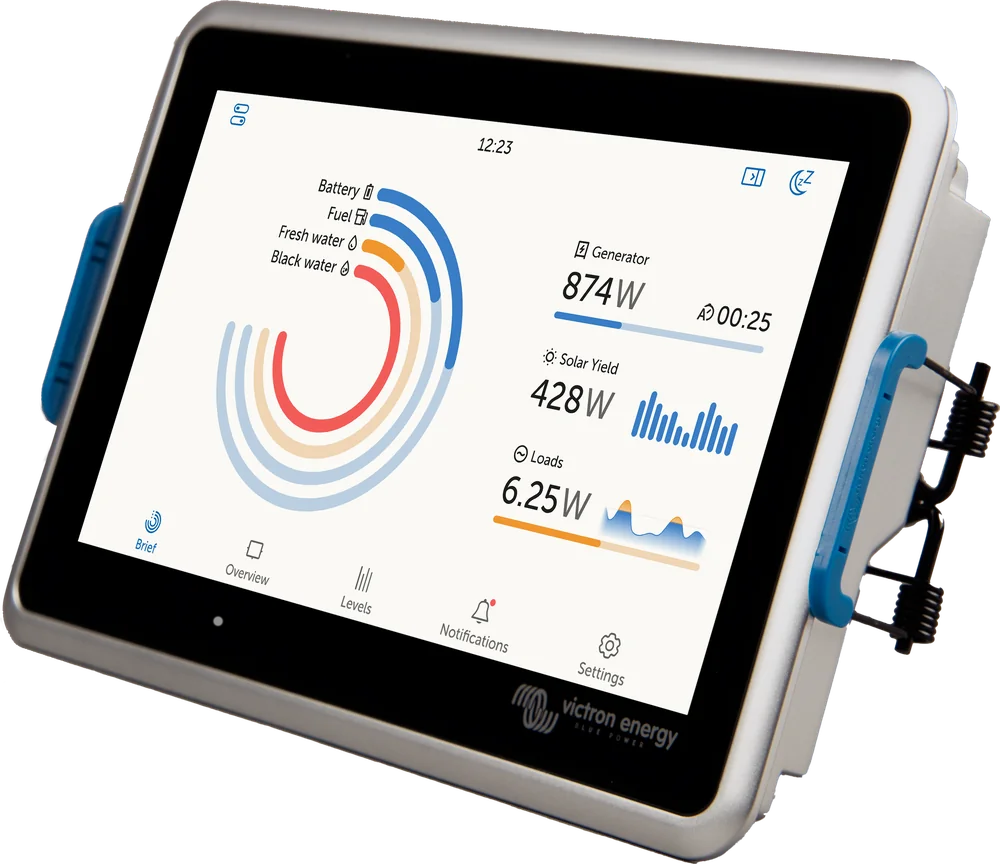
Ekrano GX — 7-inch touchscreen with system overview display
Ekrano GX
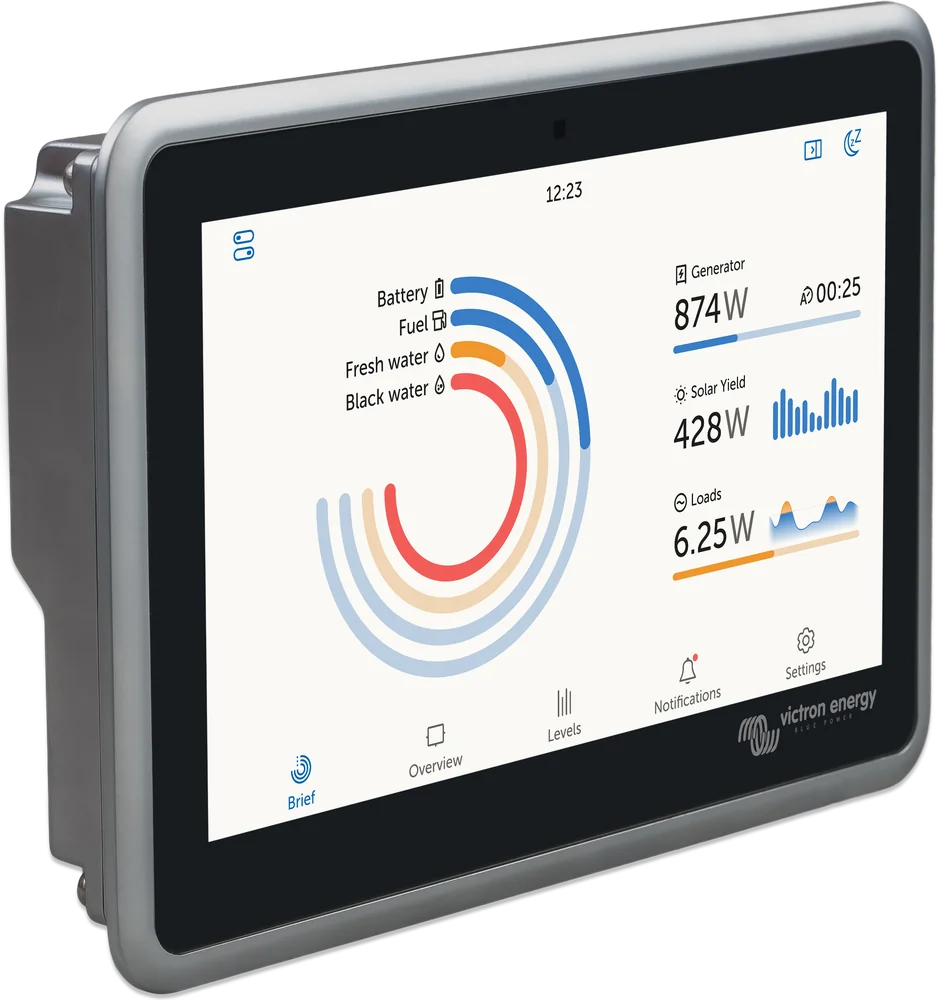
GX communication centre and 7" touchscreen in one flat enclosure. Mount it in a dashboard, yacht panel or on a wall — with no separate controller hidden in a cupboard.
- 8–70 V DC
- 7" · 1024 × 600
- VE.Bus · VE.Direct · 2× VE.Can
- Wi-Fi · Ethernet
- IP54 front
GX centre and display in one
Ekrano GX does the same as any GX centre: it links Victron devices into one system, coordinates charging, controls the generator and sends data to the VRM portal. We describe these shared functions in the Cerbo GX page. GX error codes and VRM connection errors: GX error codes.
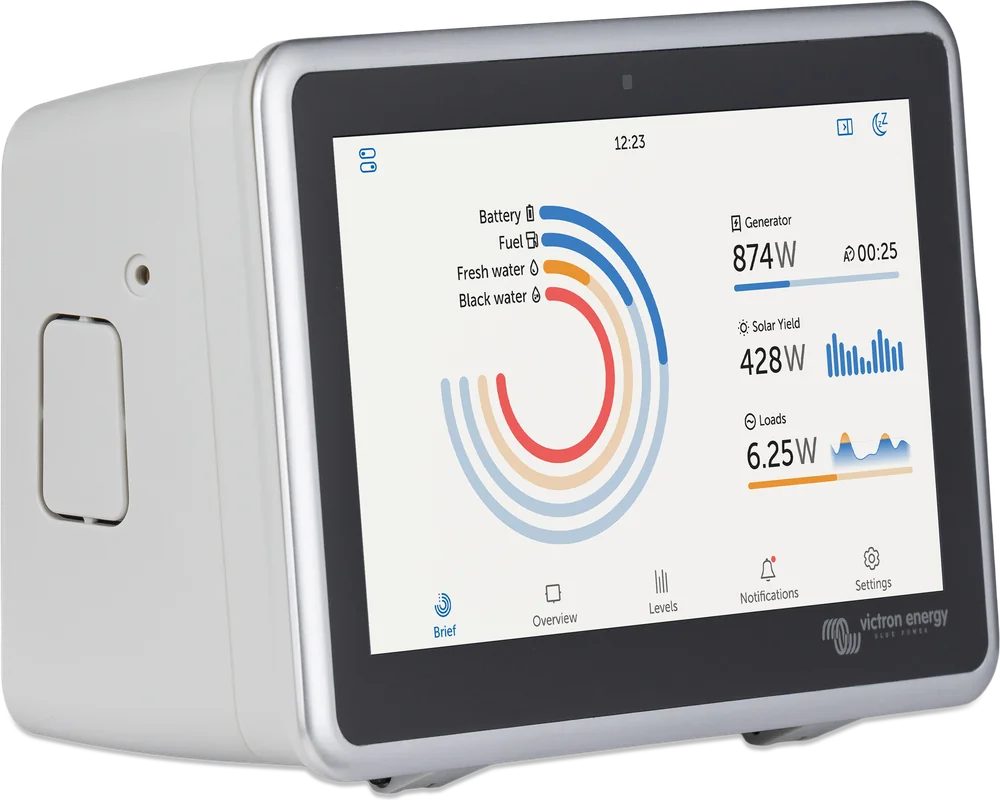
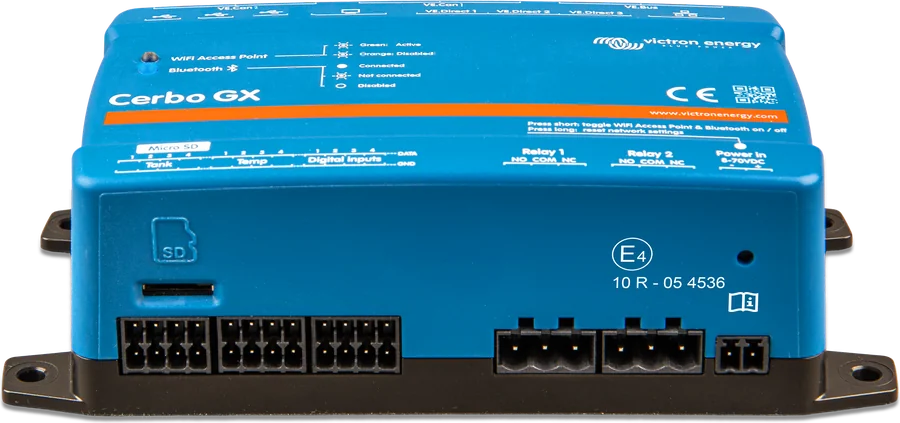
The key difference from Cerbo GX: the 7″ touchscreen is part of the device, and all connectors are on the back. Ekrano has fewer inputs (3 tanks, 2 temperatures, 2 digital inputs instead of 4/4/4) and weaker relays (3 A DC, 1 A AC). Instead of a controller in a cupboard and a screen on the wall, you get one flat device in the panel. The manufacturer calls Ekrano the most powerful GX centre in the range and the successor to Color Control GX.
- quad-core processor — supports up to 25 VE.Direct devices,
- aluminium enclosure, IP54 front (with steel bracket),
- integration with marine displays (MFDs) and NMEA 2000 network.

The whole system on one screen
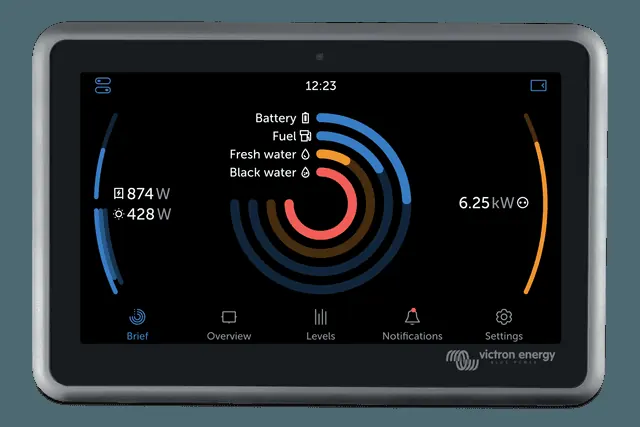
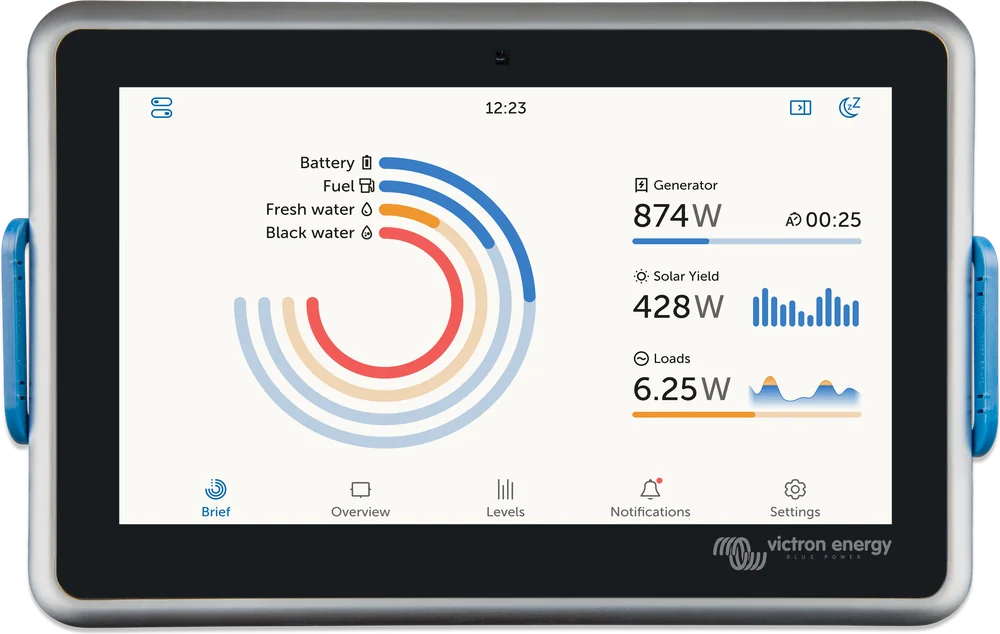
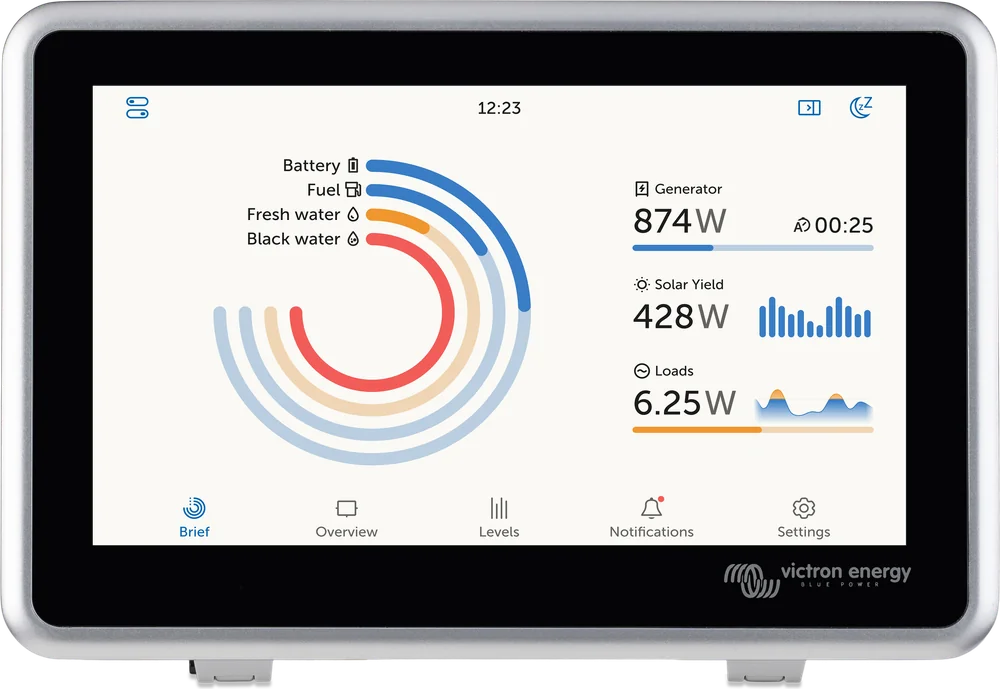
Ekrano GX runs on Venus OS with the new interface. On the overview screen you can see battery state, solar and wind production, generator, alternator and mains operation, consumption and tank levels. From the same place you can change the shore current limit, start the generator, or switch on lights or a pump from the switch panel.
- Diagonal and resolution
- 7" · 1024 × 600 px
- Max. backlight brightness
- 1000 cd/m²
- Dimming
- automatic (light sensor) or manual
- Screen timer
- yes
- Touch lock
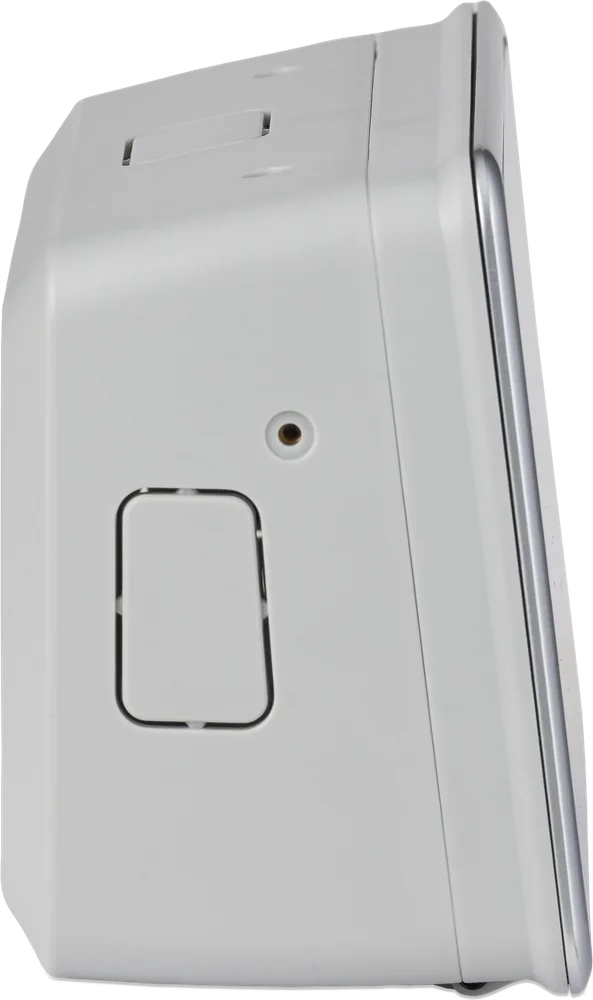
- hidden button on the back
- Alarm buzzer
- yes
The button on the back of the enclosure disables touchscreen and mouse control — the display still shows data. Remote Console (on the local network and via VRM) and the keyboard still work. Press again to restore touch.
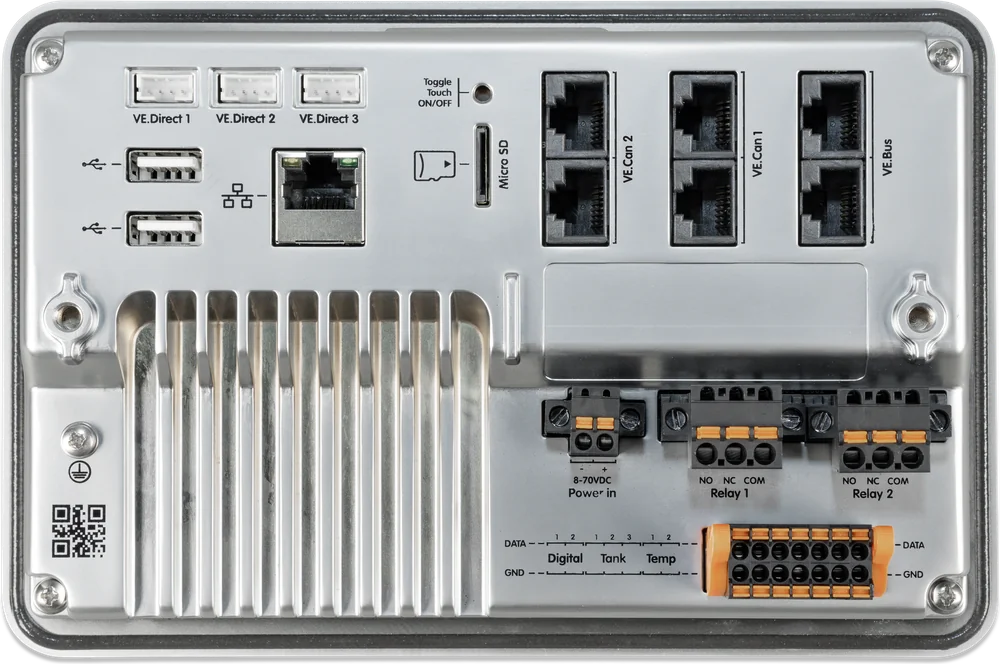
Everything connects at the back
| Connector | How many | Details |
|---|---|---|
| VE.Bus | 1 bus | 2 parallel RJ45 sockets, isolated — MultiPlus, MultiPlus-II, Quattro |
| VE.Direct | 3 (isolated) | up to 25 devices in total including those connected by USB; in complex systems the limit may be lower — leave spare capacity |
| VE.Can 1 | 1 | isolated |
| VE.Can 2 | 1 | non-isolated |
| Ethernet · Wi-Fi | 1 + built-in | internet for VRM, local network, own Wi-Fi access point |
| Bluetooth | built-in | network setup in VictronConnect and Bluetooth sensors (e.g. Ruuvi, Mopeka); does not connect to Victron devices |
| USB | 2 × USB-A | 1.5 A max in total at 5 V |
| microSD | 1 | SDHC cards up to 32 GB |
| Tank inputs | 3 | resistive: European 0–180 Ω sensors or American 240–30 Ω |
| Temperature inputs | 2 | ASS000001000 sensor (not included), range −20 … +70 °C |
| Digital inputs | 2 | alarms and pulse counting only via dry contact, open collector or optocoupler; inputs are non-isolated, 3.3 V logic, max. 5 V — do not apply 12/24 V |
| Relays | 2 (NO/NC) | up to 3 A at 30 V DC, 1 A at 125 V AC |
| Supply voltage | 1 | 8–70 V DC |
Relay 1 can work as an alarm, generator start and stop, tank pump control, temperature relay or manual. Relay 2 — as a temperature relay or manual. Tank level and temperature sensors must be bought separately; Victron does not sell tank sensors.
In a panel or on a wall
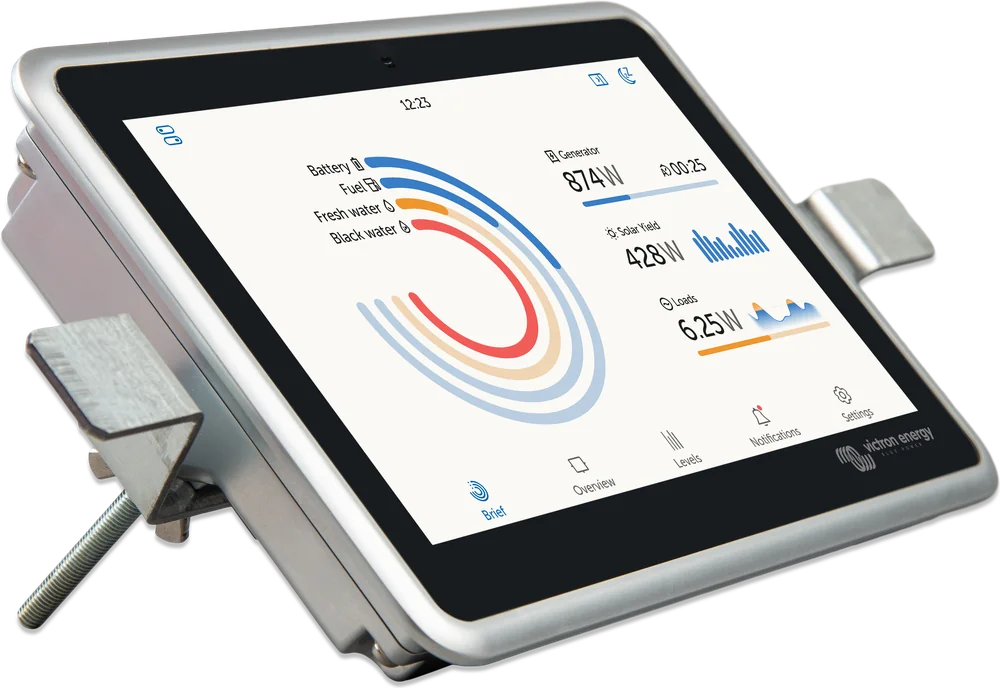
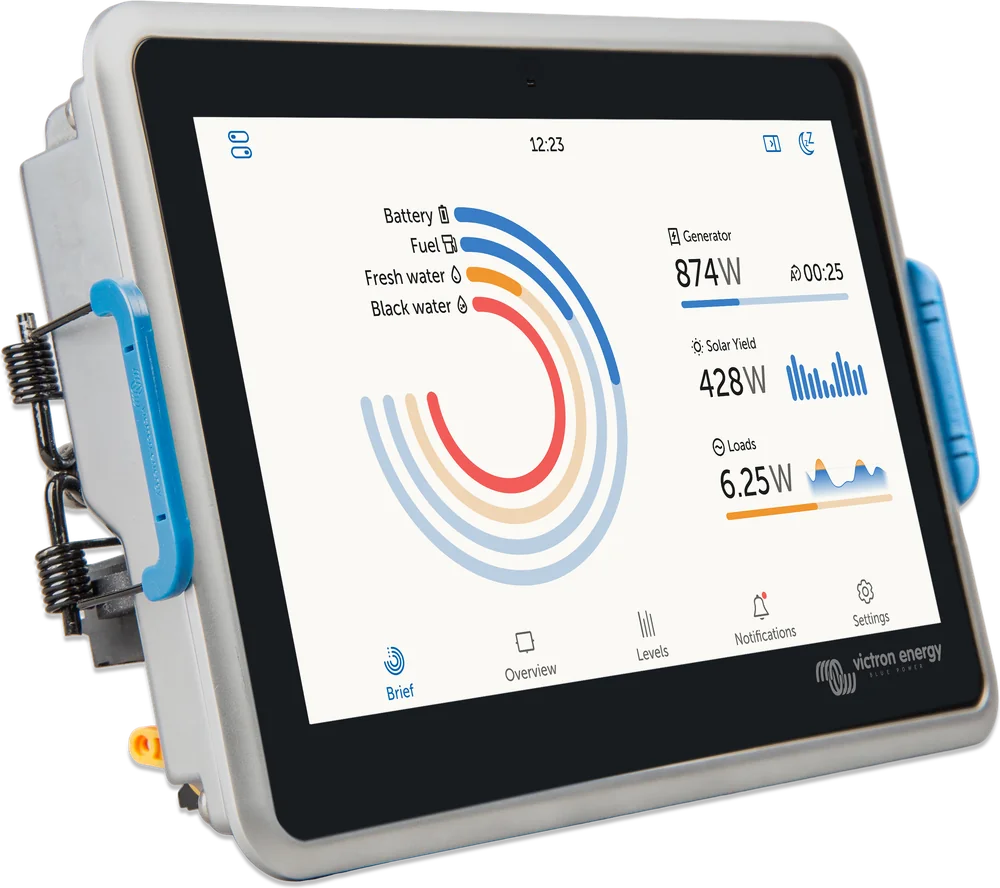
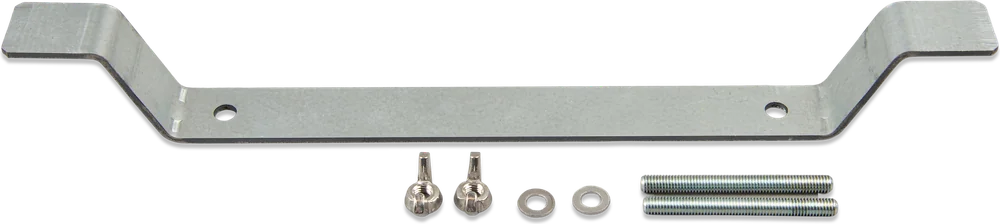
The box includes two cut-out mounting kits: steel bracket and spring clips. The choice affects the sealing of the front. For mounting on a flat wall, there is a separate accessory — the Ekrano GX Wall Mount enclosure.
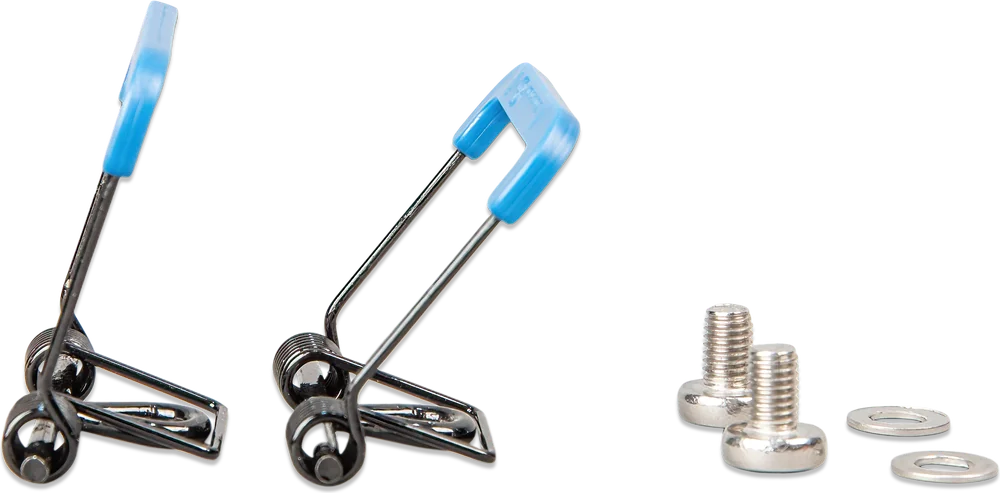
Panel cut-out dimensions
| Hole (W × H) | 176 × 111 mm |
| Widening for bracket | 178 mm in the central 55 mm strip |
| Tolerance | 0 … −0.5 mm |
| Corner radius | R5 (4×) |
| Min. installation depth | 100 mm |
| Min. free space at the sides | 42 mm on each side (the bracket is 257 mm wide) |
Dimensions from the manufacturer’s “Flush mount cut-out Drawing”. Before cutting the panel, print the current drawing at 1:1 scale — link in the Sources section.
From the rear, the enclosure is IP21. The space behind the panel must be dry. From the front, Ekrano is water-resistant only when mounted on the steel bracket (IP54); on spring clips — IP31. The manual also recommends horizontal mounting (vertical is not intended) and mounting away from direct sunlight so the unit does not overheat. Power: use a cable with a 3.15 A time-delay fuse and do not power Ekrano GX from the inverter/charger AC-out. In an installation with VE.Bus BMS v1, connect Ekrano GX Power in V+ to the VE.Bus BMS Load disconnect output; with VE.Bus BMS V2/NG use the GX-Power output.
The manufacturer specifies at least 100 mm depth behind the panel and 42 mm of free space on each side of the cut-out (for the mounting bracket).
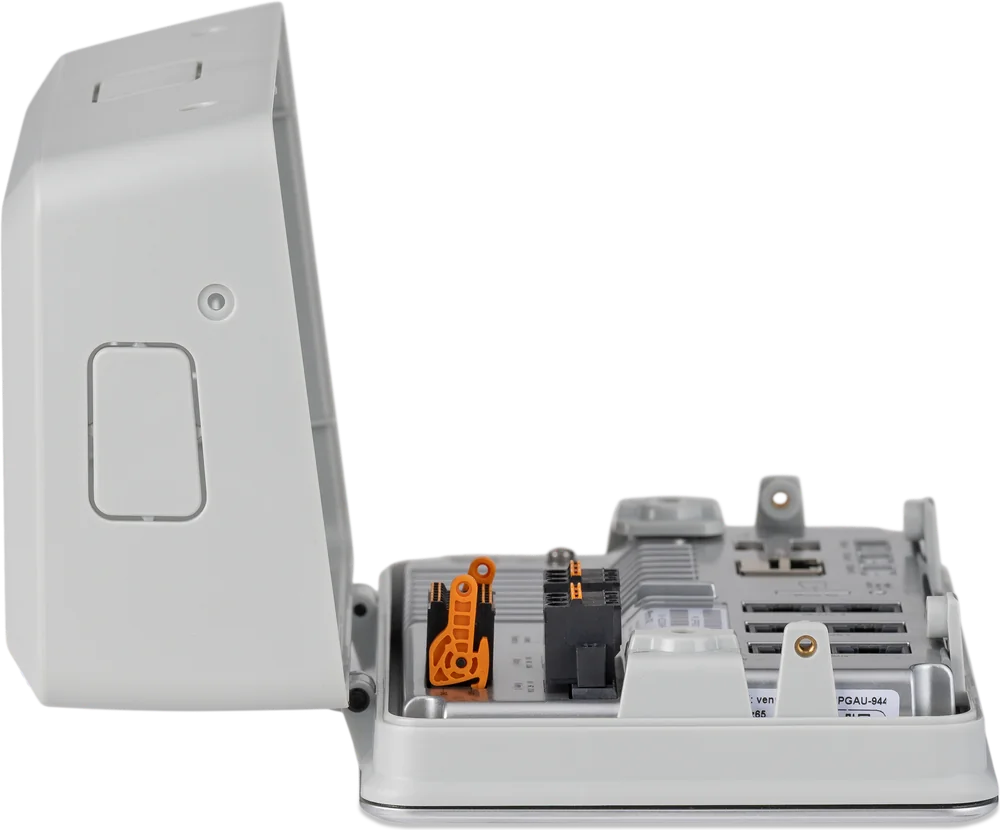
The power and relay terminal blocks are screwed to the enclosure, and the input terminal strip has a quick-release connector — you can unplug it without undoing the wires.
−20 … +50 °C. Do not mount Ekrano in a place that gets hotter, for example directly above the engine.
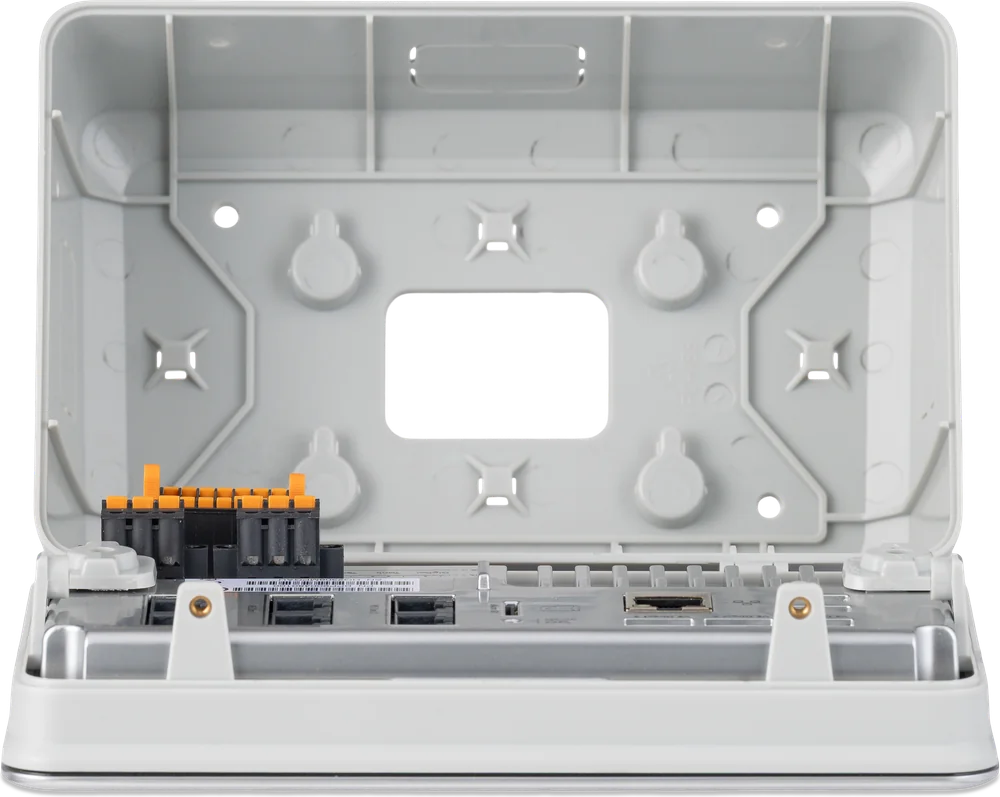
Ekrano GX Wall Mount enclosure
Accessory for mounting on a flat, solid wall: four screws are enough, with no cut-out required. The enclosure opens from the top after undoing two screws and tilts forwards; you do not need to remove it from the wall. Cables can enter from the side, top, bottom or rear.
Ekrano GX or Cerbo GX + GX Touch?
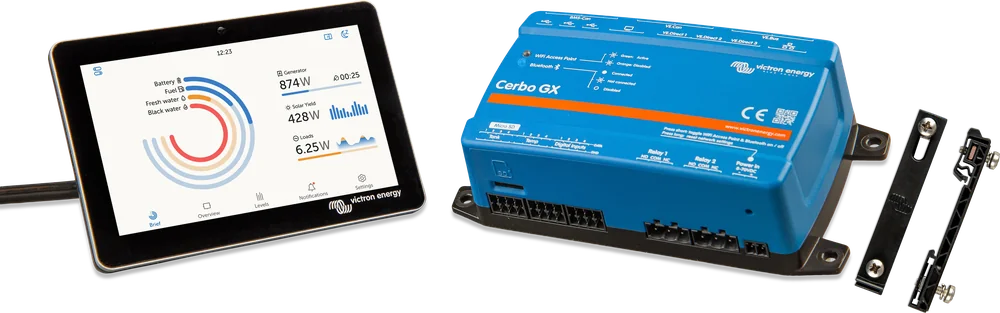
| Ekrano GX | Cerbo GX + GX Touch | |
|---|---|---|
| Screen | built-in 7", 1024 × 600, up to 1000 cd/m² | separate GX Touch 50 (5") or 70 (7") |
| VE.Direct devices | 3 ports, up to 25 in total | 3 ports, up to 15 in total |
| VE.Can | 2 (one isolated) | MK2: 2 (VE.Can 1 isolated) · old Cerbo: VE.Can + BMS-Can · Cerbo-S: 1 |
| Tank / temp. / digital inputs | 3 / 2 / 2 | 4 / 4 / 4 |
| Relays | 2 × up to 3 A (30 V DC) | 2 × up to 6 A (30 V DC) |
| USB | 2 | 2 free (MK2: 3 ports; old Cerbo: 2 + 1 for powering the display; GX Touch uses one) |
| Power draw at 12 V | 2.6 W (display off) · 6.2 W (display 100%) | 2.8 W without display; with GX Touch 3.8–4.8 W |
| Installation | in the panel cut-out or wall enclosure | controller on the wall / DIN rail, display separate |
When one location matters
A yacht helm, a campervan panel or a home technical cabinet — one unit, a bright display and the most processing power for large systems.
When you need inputs
More tank and temperature sensors, more digital inputs and stronger relays. The controller can sit by the battery, and the display can be up to 2 m away from it (the GX Touch cable must not be extended; beyond that, use a tablet or Remote Console).
When a phone is enough
If you only view the system in the app and in VRM, a Cerbo GX on its own (or the cheaper Cerbo-S GX) will be the lower-cost choice.
More about GX centre versions in the Cerbo GX datasheet. The Cerbo GX figures are from the Cerbo GX datasheet; port details vary between Cerbo versions.
Ekrano GX in the middle of the system
Example connections. Hover over or touch an item in the diagram to see which connector it uses.
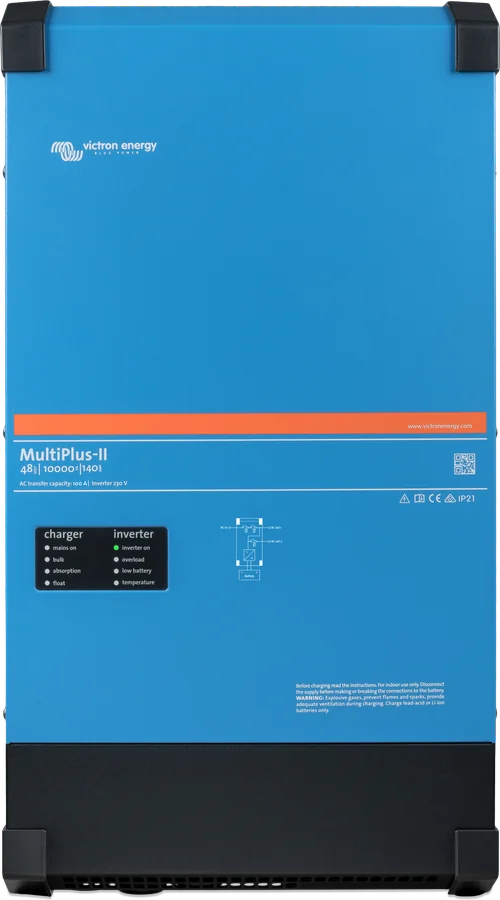
- MultiPlus-II → VE.BusShore current limit, operating modes, ESS.
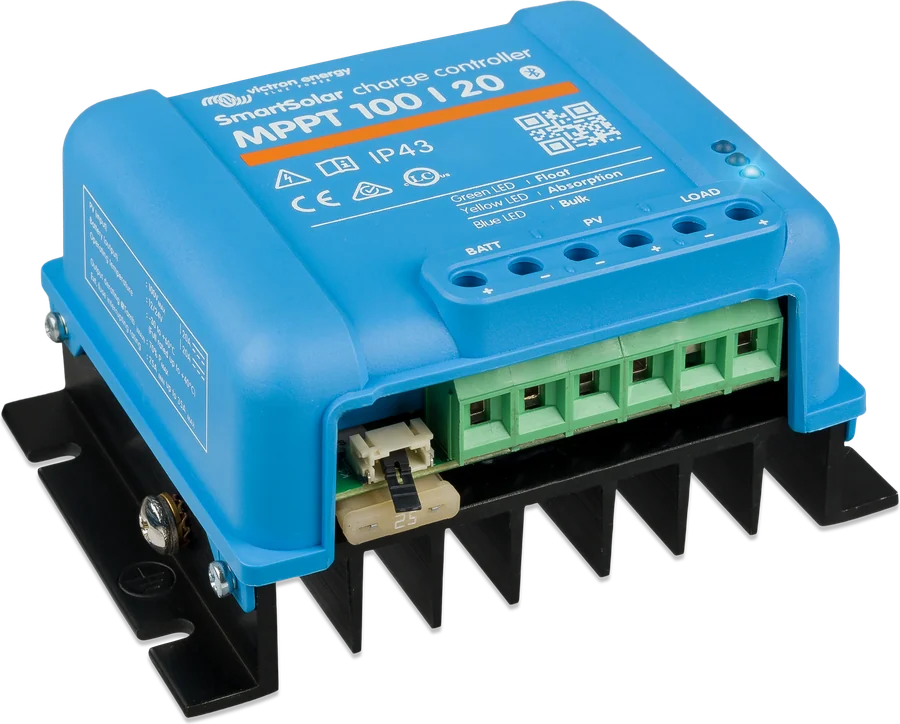
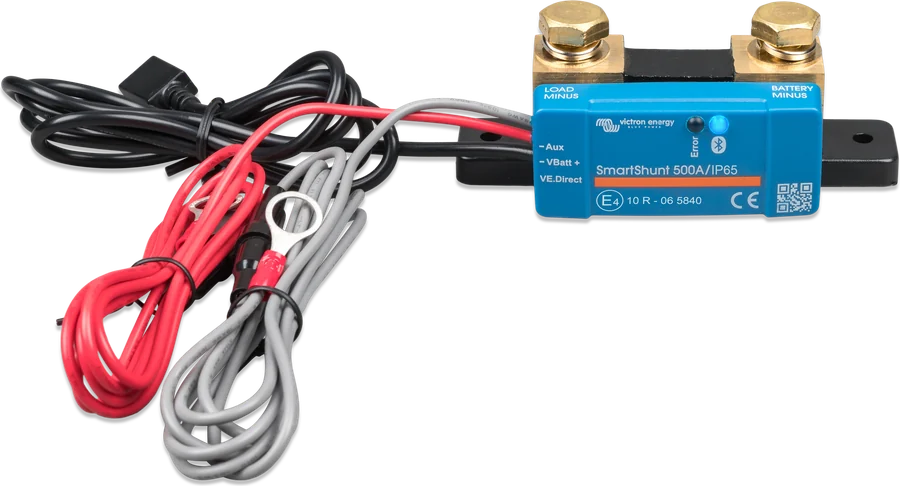
- MPPT and SmartShunt → VE.DirectUp to 25 devices in total (3 ports + USB adapters).
- BMS → VE.CanLynx Smart BMS on the VE.Can port (250 kbit/s); terminators at both ends of the network.
- NMEA 2000 → VE.CanMFD displays on a yacht via an adapter cable. Check the NMEA 2000 network supply; in 24/48 V systems use OSUKL 3802 or a VE.Can–NMEA 2000 cable without a fuse and separate 12 V power supply for NMEA 2000.
- Internet → VRMWi-Fi or Ethernet — remote monitoring and control.
- Sensors and relaysTanks, temperature, alarms, generator start.
We describe monitoring via VRM, Remote Console and the functions common to all GX centres in the Cerbo GX datasheet.
Most frequently asked questions about Ekrano GX
How much current does Ekrano GX draw from the battery?
According to the manufacturer, at 12 V: 2.6 W with the screen off and 6.2 W with the screen at full brightness (at 24 V: 3.0 / 6.6 W, at 48 V: 3.7 / 7.4 W). At 12 V this is about 5.2 Ah per day with the screen off and up to about 12.4 Ah if the screen is lit at full brightness all the time. Automatic dimming and the timer switch reduce this significantly.
Will the screen be readable in full sun?
The backlight reaches up to 1000 cd/m², but the manual recommends not mounting Ekrano in direct sunlight (overheating). The built-in light sensor automatically increases brightness during the day and lowers it in the evening. At night there is also a dark mode for the interface, which does not dazzle on the flybridge or in the cabin.
Will Ekrano GX replace my Color Control GX?
The manufacturer presents Ekrano GX as the successor to Color Control GX. However, the enclosure has different dimensions, so when replacing it you need to check whether the existing panel opening can be adapted to the 176 × 111 mm cut-out.
Which temperature sensor and which tank sensors fit?
Temperature inputs require the Victron ASS000001000 sensor (the same as in Quattro and MultiPlus — this is not a BMV sensor). The reading is approximate, with an error of about ±2 °C. The tank inputs are resistive and work with European sensors (0–180 Ω) or US sensors (240–30 Ω) — sensors are bought separately.
Can I connect to Ekrano via Bluetooth like to an MPPT controller?
Bluetooth in Ekrano is used to set up the network in the VictronConnect app and to receive data from Bluetooth sensors (for example Ruuvi, Mopeka). Ekrano does not connect to Victron devices via Bluetooth — for those it uses VE.Bus, VE.Direct and VE.Can cables.
Devices most often connected to Ekrano
Manufacturer documentation
- Ekrano GX datasheetPDF · EN
- Panel cut-out drawingPDF · dimensions in mm
- Ekrano GX dimensional drawingPDF · dimensions in mm
- Ekrano GX manualPDF · EN
- Product page at the manufacturervictronenergy.com
- Ekrano GX Wall Mount enclosurevictronenergy.com
We prepared this description independently based on the manufacturer’s documentation. If there are any discrepancies, the current Victron Energy documentation is binding. You can report an error here.
Content checked against Victron Energy documentation (datasheets and manuals) — as of 19 September 2026. Report a content error · Revision log