
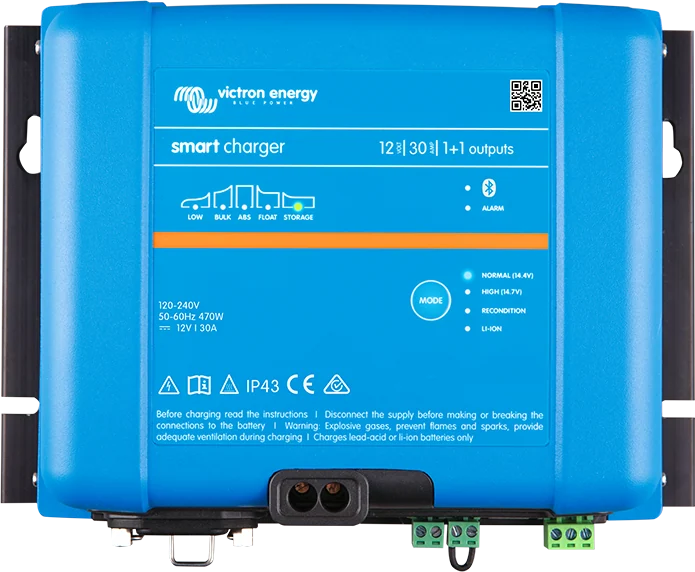
Phoenix Smart IP43 Charger 12|30 (1+1 outputs) — front with charging-stage LEDs
Smart IP43 Charger
A larger Victron mains charger for permanent installation — in a campervan, on a boat, in a cabin. Fanless cooling (quiet), with Bluetooth, VE.Direct port, programmable relay and power supply mode. 120–240 V input, full output from 100 V.
- 12 / 24 / 36 / 48 V
- 13–50 A
- 1, 1+1 or 3 outputs
- Bluetooth, VE.Direct
- fanless
Battery currents and capacities
| Model | Outputs | Current / low-current mode | Recommended maximum capacity | Min. capacity (lead-acid / Li-ion) |
|---|---|---|---|---|
| 12/30 | 1+1 or 3 | 30 / 15 A | 300 Ah | 120 / 60 Ah |
| 12/50 | 1+1 or 3 | 50 / 25 A | 500 Ah | 200 / 100 Ah |
| 24/16 | 1+1 or 3 | 16 / 8 A | 160 Ah | 64 / 32 Ah |
| 24/25 | 1+1 or 3 | 25 / 12.5 A | 250 Ah | 100 / 50 Ah |
| 36/15 | 1 | 15 / 7.5 A | 150 Ah | 60 / 30 Ah |
| 48/13 | 1 | 13 / 6.5 A | 130 Ah | 50 / 25 Ah |
The lengths in the cross-section table below are one-way distances between the charger and the battery. The minimum capacities apply to normal mode. AC input 85–250 V (start-up from 90 V, full output from 100 V), 45–65 Hz, power factor above 0.99; adjustable input current limit 3–10 A. DC input 90–375 V. Battery terminals 16 mm², AC inlet IEC 320 C14 (cord ordered separately). Weight 2.7 kg, 180 × 249 × 116 mm.
For 24 and 48 V battery banks with capacities of several hundred Ah, currents up to 100 A, or three-phase power supply — Skylla chargers.
(1), (1+1) or (3)
- (1) — one output for one battery bank.
- (1+1) — a main output plus a second one, limited to about 4 A and at a slightly lower voltage, to maintain the starter battery.
- (3) — three isolated outputs; each can deliver full current, but their total cannot exceed the charger current. The outputs are not regulated separately — one algorithm for all.
The charger compensates for voltage drop across the DC cables — at higher current it slightly raises the output voltage.
Normal, High, Li-ion
| Mode (12 V) | Absorption | Float | Storage |
|---|---|---|---|
| Normal | 14.4 V | 13.8 V | 13.2 V |
| High | 14.7 V | 13.8 V | 13.2 V |
| Li-ion | 14.2 V | off | 13.5 V |
For 24 V, 36 V and 48 V, voltages are multiplied by 2, 3 and 4 respectively. Values are for 25 °C.
- Select the modes with the MODE button: Normal, Normal + Recondition, High, High + Recondition, Li-ion. Hold MODE for 3 s to enable low-current mode (50% of rated current). In VictronConnect, current can be set from 25% to 100%.
- 6-stage algorithm for lead-acid batteries (bulk, absorption, recondition, float, storage, refresh) with adaptive absorption of 30 min – 8 h and a one-hour refresh absorption every 7 days in storage. For Li-ion — 3-stage algorithm, with fixed-time absorption.
- Recondition (16.2 V in Normal, 16.5 V in High at 12 V; current 8% of rated current, max 1 h) — the manufacturer does not recommend it for regular use, because excessive gassing shortens battery life. Do not use with lithium batteries.
- The charger tries to charge a deeply discharged battery (even from 0 V) with a low current. When connected to a lithium battery cut off by its own undervoltage protection (UVP), it clears it automatically and starts charging.
- Power supply mode — constant voltage, with or without a battery, set via Bluetooth or VE.Direct.
- Remote H/L (factory bridged) — charging is enabled by shorting L to H, more than 2.9 V on H, or pulling L to minus; disabling requires both terminals to be open and “floating” (e.g. controlled by the BMS “charge disconnect” output). The relay (5 A, 250 V AC / 28 V DC) works only when AC is present and charging is enabled.
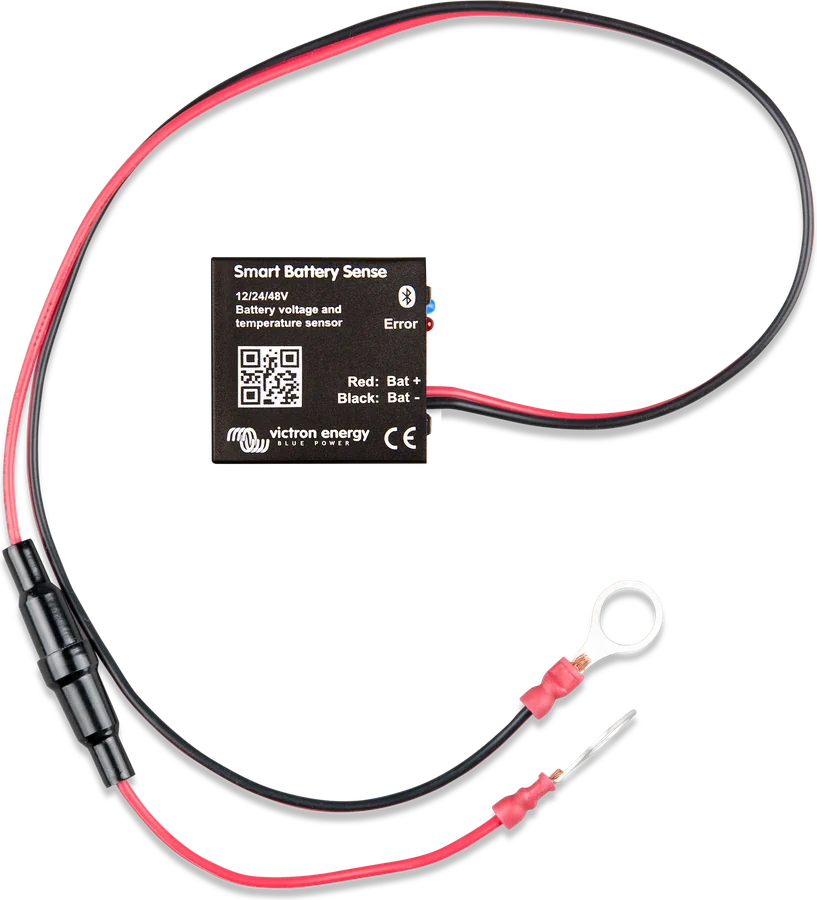
- VE.Smart: voltage and temperature from Smart Battery Sense, SmartShunt or BMV-712, and synchronisation of several chargers (they must have the same settings).
How to connect Phoenix Smart IP43
The charger hangs vertically, terminals down, with 10 cm of free space around it — not above the battery and not in a closed compartment with the battery. The (1+1) version also maintains the starter battery. Reference diagram.
- Network120–240 V input, full output from 100 V.
- Main batteryFuse close to the battery, cable size according to the table, terminals 2.4 Nm.
- Maintenance outputIn the (1+1) version, about 4 A for the starter battery.
- Charging modeNormal, High or Li-ion; Recondition not for lithium batteries.
- MonitoringBluetooth and VE.Direct — also as a constant-voltage power supply.
Cable sizes and installation rules
| Model (current) | Recommended DC cable cross-section |
|---|---|
| 12/30 (30 A) | 10 mm² up to 3 m, 16 mm² from 3 to 4.5 m; longer — not recommended |
| 12/50 (50 A) | 16 mm² up to 3 m; longer runs not recommended |
| 24/16 (16 A) | 4 mm² up to 4.5 m, 6 mm² from 4.5 to 6 m |
| 24/25 (25 A) | 6 mm² up to 3 m, 10 mm² from 3 to 6 m |
| 36/15 (15 A), 48/13 (13 A) | 4 mm² up to 4.5 m, 6 mm² from 4.5 to 6 m |
- Mount vertically, terminals facing down, on a non-flammable surface; leave at least 10 cm of free space around it (100 mm above and below). Keep the location protected from water, moisture and dust, away from flammable liquids and gases. Do not install above the battery or in a closed battery compartment; do not place anything on the charger. Charge the battery in a ventilated place, with no sources of ignition nearby.
- Before disconnecting cables and making new connections, fully switch off and isolate the DC system. Fit the fuse or switch as close to the battery as possible. Design for a voltage drop of no more than 3% at maximum current. Tighten the terminals to 2.4 Nm; use flexible cables, with strand diameter up to 0.4 mm.
- Reverse polarity blows the internal fuse, which the user cannot replace.
- For temporary battery charging in a vehicle with negative ground: connect the battery positive first, then the negative to the chassis ground point (not directly to the battery terminal); disconnect in reverse order.
- Powered from an earthed socket; do not use the charger if the AC cable is damaged. The manual forbids charging a Li-ion battery below 0 °C — Victron LiFePO4 batteries require at least +5 °C (LiFePO₄ in winter).
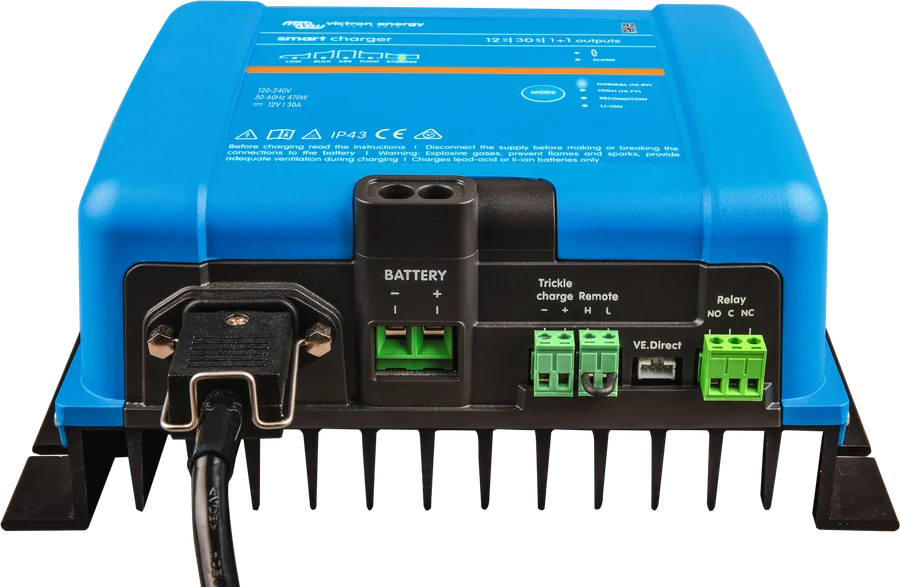
States and errors
| Diodes | Meaning |
|---|---|
| BULK / ABS / FLOAT / STORAGE lit | current stage; FLOAT — battery 100% charged |
| BULK and ABS flashing (+ RECONDITION) | recondition stage |
| LOW flashing | low-current mode enabled |
| LOW off, BULK flashing | charging disabled |
| BULK, ABS, FLOAT, STORAGE lit together | power supply mode |
| active stage LED flashes every 4 s | operation in VE.Smart network |
| ALARM + BULK flashing | bulk timeout exceeded (charger switches to float) |
| ALARM + BULK, ABS, FLOAT flashing | internal error (warning 31 has the same code — in that case the charger continues to operate) |
| ALARM + ABS and STORAGE flashing | charger overvoltage |
| ALARM + BULK and STORAGE flashing | charger overcurrent |
| ALARM + LOW flashing | mains voltage too low |
| ALARM + FLOAT and STORAGE flashing | lost connection to BMS |
Set the Bluetooth PIN back to 000000 (and re-enable Bluetooth): hold MODE for 10 s — all charging mode LEDs will flash twice; you then need to pair again. The history in VictronConnect includes the last 40 cycles.
Frequently asked questions about the Phoenix Smart IP43
What do (1), (1+1) and (3) mean?
(1) is a single output for one battery bank. (1+1) — main output plus a second one, limited to about 4 A and with a slightly lower voltage, for maintaining the starter battery. (3) — three isolated outputs, each at full current, but their total will not exceed the charger current.
Is the charger noisy?
There is no fan — it is passively cooled, so it runs quietly. Holding the MODE button for 3 seconds enables low-current mode (50% of rated current), and in VictronConnect the current can be set from 25% to 100%.
Will it charge a lithium battery cut off by protection?
Yes. It charges a deeply discharged battery with a low current even from 0 V, and it will automatically wake a lithium battery cut off by its own undervoltage protection (UVP) and start charging it.
What DC cable cross-section?
According to the table on this page — for example, model 12/30 requires 10 mm² up to 3 m and 16 mm² from 3 to 4.5 m. Voltage drop is designed for no more than 3% at maximum current, and the terminals are tightened to 2.4 Nm.
Can the charger work as a power supply?
Yes — in power supply mode it maintains a constant voltage, with or without a battery. The mode is enabled via Bluetooth or VE.Direct.
Manufacturer documentation
Content checked against Victron Energy documentation (datasheets and manuals) — as of 19 September 2026. Report a content error · Revision log