
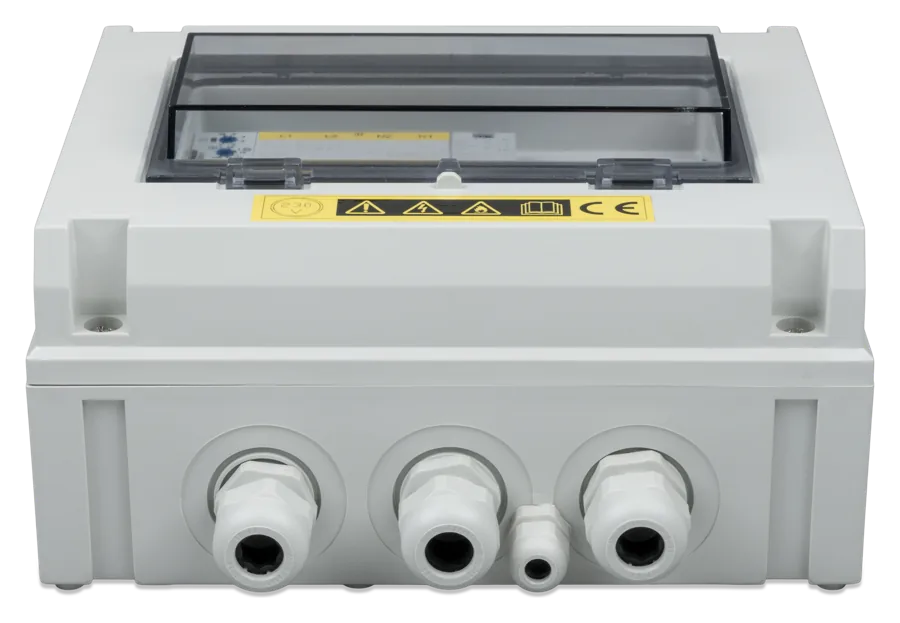
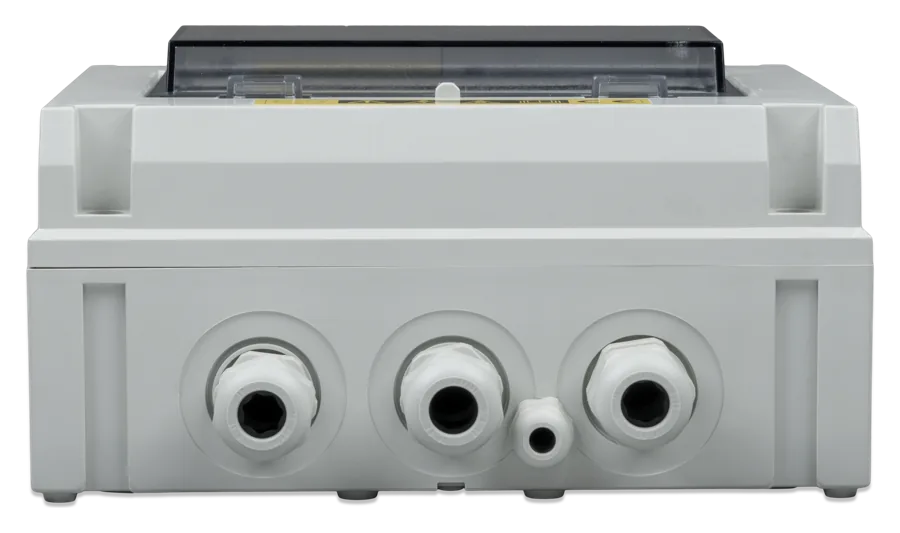
VE Transfer Switch 10 kVA at an angle — grey enclosure with a transparent lid and cable glands underneath
VE Transfer Switch
Automatic changeover switch with two 230 V inputs and one output. When input 1 has a stable voltage, the loads are powered from input 1; when it is absent — from input 2. Typical pairs are generator and mains or shore power, generator and inverter, or mains and inverter. Two models: 5 kVA (20 A) and 10 kVA (40 A).
- 5 kVA / 20 A
- 10 kVA / 40 A
- 200–250 V AC, single phase
- 50–60 Hz
- IP54
Two 230 V sources, one output, with no manual switching
The VE Transfer Switch sits between AC sources and the loads or inverter/charger. When the voltage or frequency at input 1 stop being stable, it switches the output to input 2. When input 1 is stable again, it switches back after a delay of about 10 seconds — this means the loads are not fed with a supply that may disappear again shortly afterwards.
That is how the manual describes it. The wiring diagram shows only a time relay and contactors powered from input 1 — with no separate voltage and frequency sensor. Unlike the Filax 2, the manual does not give switching thresholds.
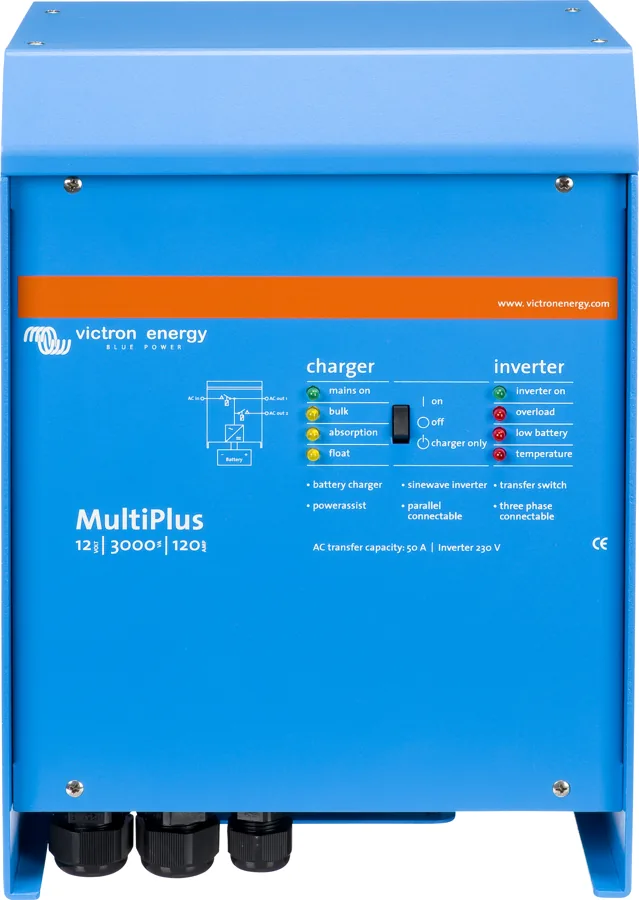
A common case is a MultiPlus, which has only one AC input: the switch lets you connect two sources to it, for example shore power and a generator. The manufacturer states that it can be used with any Victron inverter, provided the inverter’s power does not exceed the switch’s power rating.
- two models: 5 kVA (20 A) and 10 kVA (40 A), single phase 200–250 V, 50–60 Hz,
- switches both the live and neutral conductors,
- auxiliary contact which, with a MultiPlus and a Digital Multi Control panel, switches the current limit to the generator value,
- IP54 enclosure, operating from −5 to +60 °C; the switch usually needs no configuration.
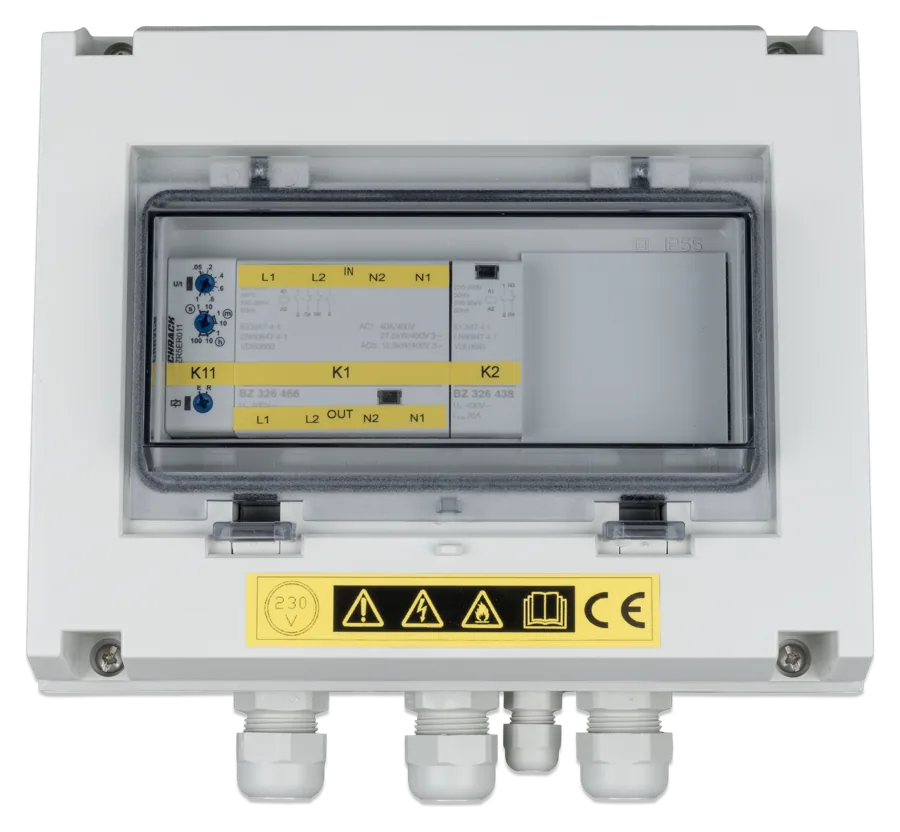

What the VE Transfer Switch can do
Input 1 priority
Input 1 always has priority when it has a stable voltage. Input 2 takes over supply only when input 1 is absent.
~10 s return delay
When the voltage returns to input 1, the switch waits about 10 seconds. You set the time with a small flat-blade screwdriver on the time relay.
Short break during switching
5–20 ms when opening the contacts and 10–20 ms when closing them. The manufacturer warns that during this time the loads are without supply — computers may lose data.
Switches L and N
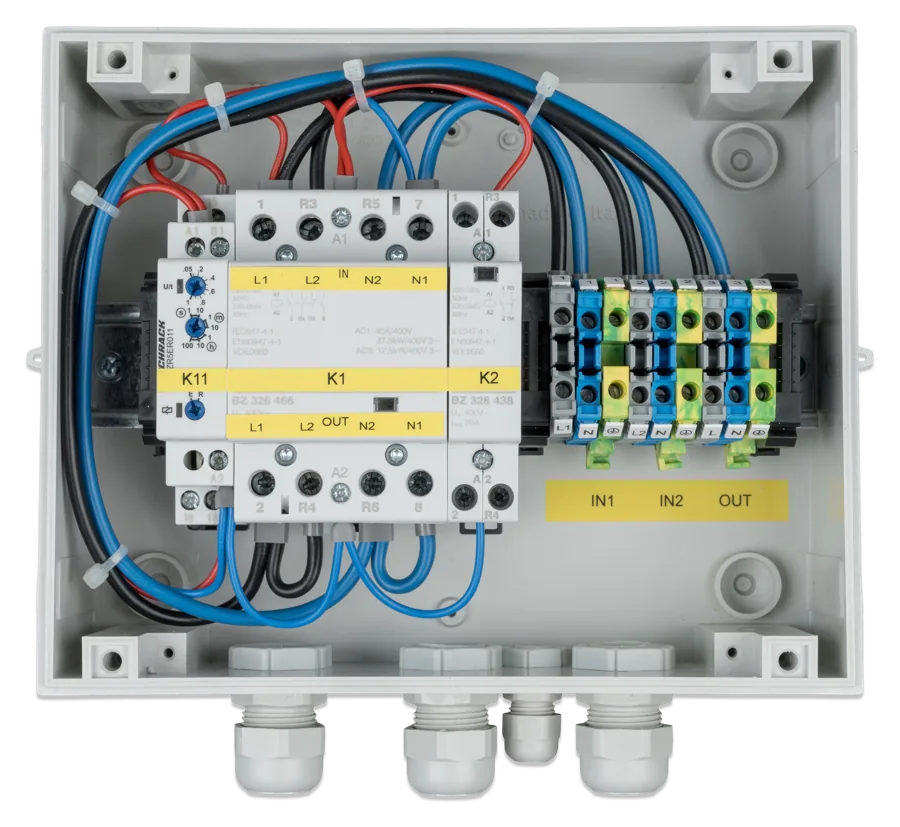
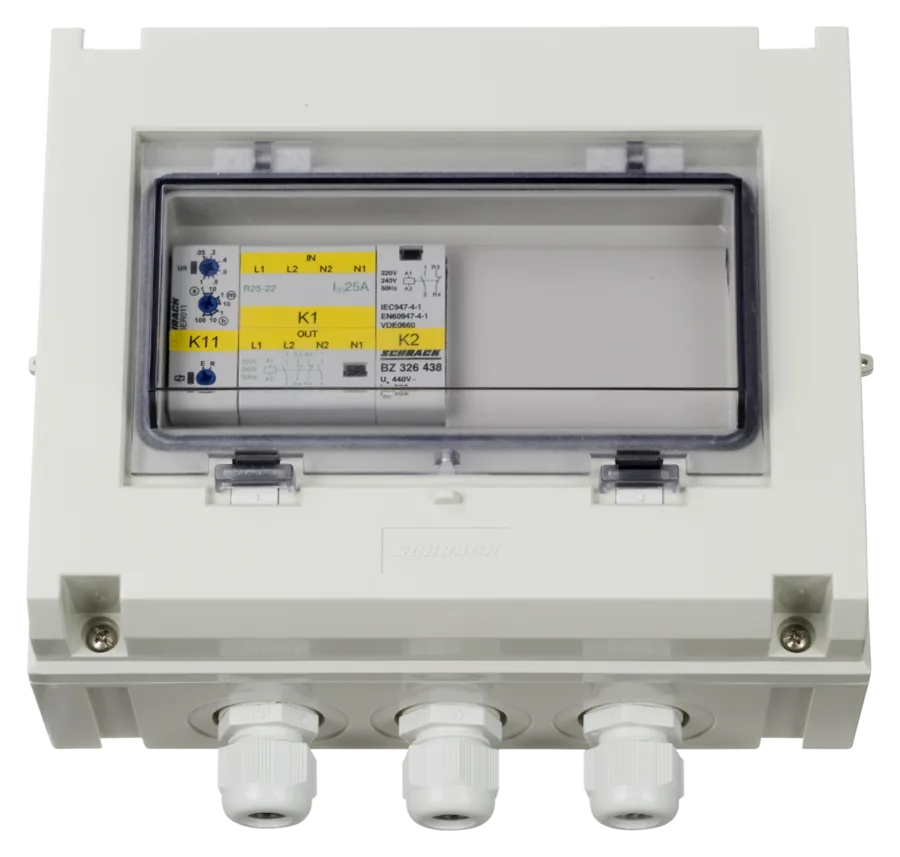
In the wiring diagram, contactor K1 switches both the live and neutral conductors of each input. The PE protective conductor is not switched.
Auxiliary contact for DMC
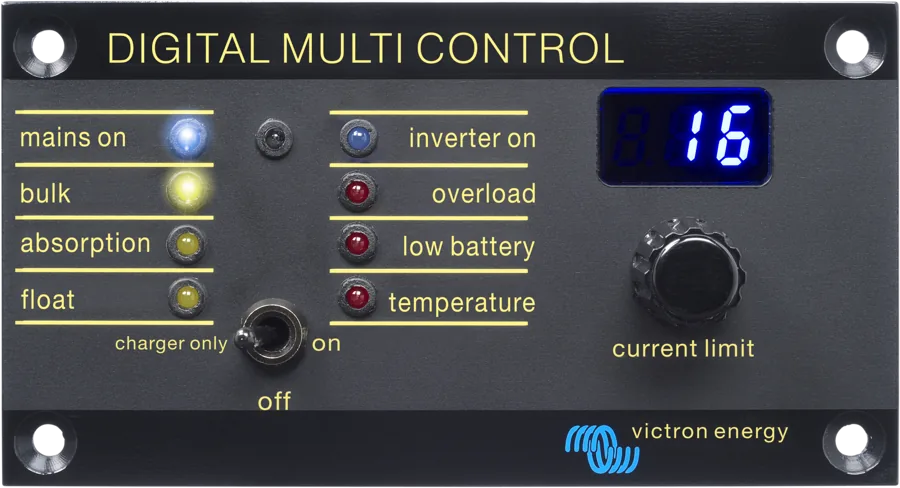
The normally open contact of contactor K2 (200–240 V AC, 20 A) connected to the Digital Multi Control panel switches the MultiPlus to the programmed generator current limit — the panel shows “GEN”. The contact closes together with K1, that is when the output is fed from input 1.
Motors and air conditioners
The maximum power of an electric motor, for example an air conditioner, is 1.3 kW for the 5 kVA model and 8 kW for the 10 kVA model.
Low self-consumption
6 VA from input 1 (according to the diagram the contactor coils are powered from there) and 0 VA from input 2 — when input 2 is active, the switch draws nothing from it.
IP54 enclosure
RAL 7035 colour, 175 × 215 × 120 mm, four mounting holes at the back, cable glands included. Humidity up to 95% non-condensing.
Two models: 5 kVA and 10 kVA
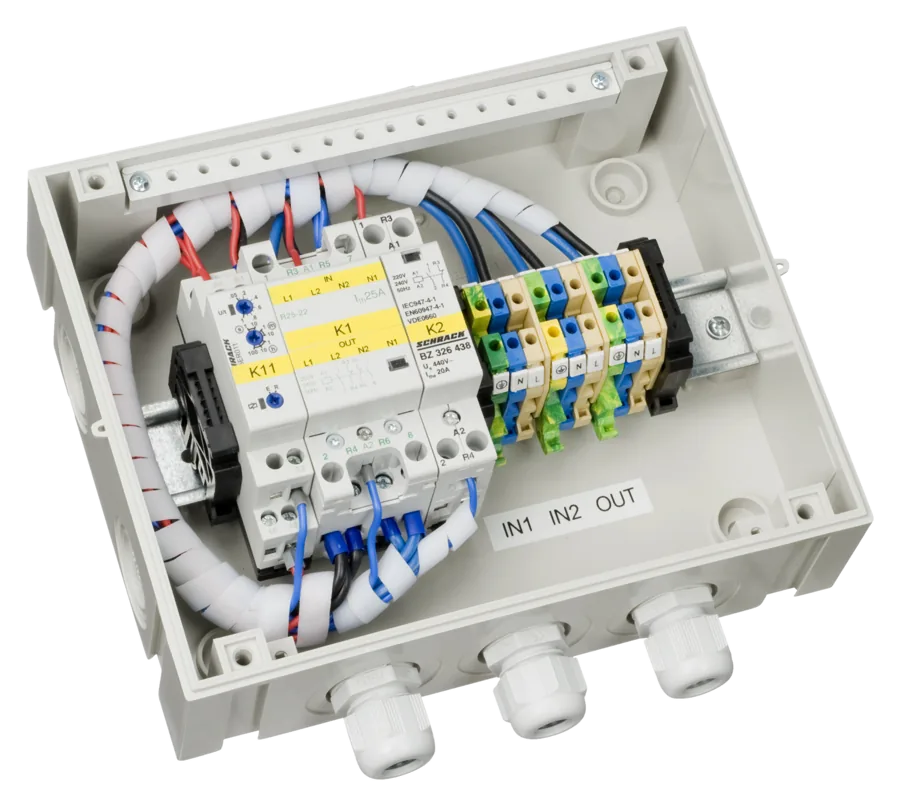
| Parameter | 5 kVA | 10 kVA |
|---|---|---|
| Part number | COS230502100 | COS230103100 |
| Rated voltage | 200–250 V AC, single phase | |
| Frequency | 50–60 Hz | |
| Rated current of input 1 / input 2 / output | 20 A / 20 A / 20 A | 40 A / 40 A / 40 A |
| Maximum motor power (for example an air conditioner) | 1.3 kW | 8 kW |
| Self-consumption from input 1 / input 2 | 6 VA / 0 VA | |
| Switching time — contact closing | 10–20 ms | |
| Switching time — contact opening | 5–20 ms | |
| Input 1 switch-on delay | about 10 s (adjustable) | |
| Auxiliary contact | 200–240 V AC, 20 A, cos φ = 1 | |
| Operating temperature | −5 to +60 °C | |
| Humidity | up to 95%, non-condensing | |
| Miniature circuit breaker (MCB) and residual current device (RCD) | not included — selected to suit the installation | |
| Protection rating / colour | IP54 / RAL 7035 | |
| Dimensions | 175 × 215 × 120 mm | |
| Weight | 1.85 kg | 1.65 kg |
The masses are taken from the manual: the 5 kVA model is listed as 1.85 kg, and the 10 kVA model as 1.65 kg. Catalogue numbers come from the product page. The declaration of conformity (04/07/2022) covers the EMC, Low Voltage and RoHS directives; CE marking since 2010.
Generator and shore power on one MultiPlus
Generator to IN1, shore power or mains to IN2, output to the AC input of the inverter/charger. Inputs and output protected by circuit breakers selected to suit the cable cross-section, and residual current devices in the installation. Hover over or tap the diagram element. Schematic diagram.
- Generator → IN1L1, N1, PE; priority input, return after about 10 s.
- Shore power or mains → IN2L2, N2, PE; takes over supply when there is no voltage on IN1.
- OUT → MultiPlus AC inputInverter power no greater than the switch rating (20 A or 40 A).
- ProtectionsMiniature circuit breakers selected to suit the cable cross-section on the inputs and output, and residual current devices in the installation.
- K2 contact → DMC panelContact closed: generator current limit and “GEN” on the panel.
Installation rules
Before installation and throughout any work on the switch, all AC sources must be switched off or disconnected — including the generator and inverter.
The input and output cables must be protected by fuses or miniature circuit breakers sized to their cross-section. Residual current devices (RCDs) must be part of the switch installation. None are included.
Tighten all connections to 1.2 Nm. The manufacturer warns that loose connections can dangerously overheat the terminals, and cables that are too thin can overheat themselves.
- Location: dry and well ventilated. The switch is wall-mounted using the four holes in the rear of the enclosure; you access the inside after removing the four screws from the front panel.
- Cables: cross-section matched to the current, maximum 6 mm² conductors. Through the enclosure only in the supplied cable glands.
- Terminals: IN1 (L1, N1, PE), IN2 (L2, N2, PE), OUT (L, N, PE) — according to the wiring diagram in the manual. The order within each group differs between models: in the 5 kVA from left to right PE, N, L, in the 10 kVA — L, N, PE. Follow the labels on the terminal strip.
- Earthing: the protective conductors of all sources and loads are connected to a central earthing point on the yacht or installation. Details: earthing and residual current devices.
Delay and interaction with the DMC panel
- Usually, nothing needs to be set. According to the manual, the switch is ready to work straight after installation.
- Input 1 switch-on delay. In special cases, you need to change the time after which the switch changes over to input 1 (factory setting: about 10 s). Adjust it with a small flat-blade screwdriver — in interior photos these are the knobs on time relay K11. Under the cover there are 230 V terminals, so only adjust it after disconnecting all sources. Change only the time value; leave the range (s, min, h) and the E/R function switch in the factory position — the diagram specifies a switch-on delay of about 10 s, and a different range would give minutes or hours.
- Digital Multi Control panel. When the switch works with a MultiPlus and the DMC panel, terminals 1 and 2 of the normally open auxiliary contact of contactor K2 (called “relay K2” in the manual text) are connected to the screw terminal at the back of the panel. Contact open — the MultiPlus current limit is set by the panel knob and the panel shows that value. Contact closed — the MultiPlus receives the programmed generator limit, and the panel shows “GEN”.
- When the contact closes. In the wiring diagram, coils K1 and K2 are powered together, through time relay K11, from input 1. The auxiliary contact is therefore closed when the output is operating from input 1 (after the delay has elapsed). When used with the DMC panel, the generator must be on input 1 — otherwise the generator limit will be applied to the shore or mains source.
- The panel manual explains how to set the generator limit itself — see the Digital Multi Control datasheet.
VE Transfer Switch, Filax 2 or Quattro
VE Transfer Switch
Two 230 V sources before the MultiPlus or before the loads — generator, mains, shore power, inverter. Up to 40 A. When switching, the loads briefly lose power.
20 A / 40 A · return ~10 sFilax 2
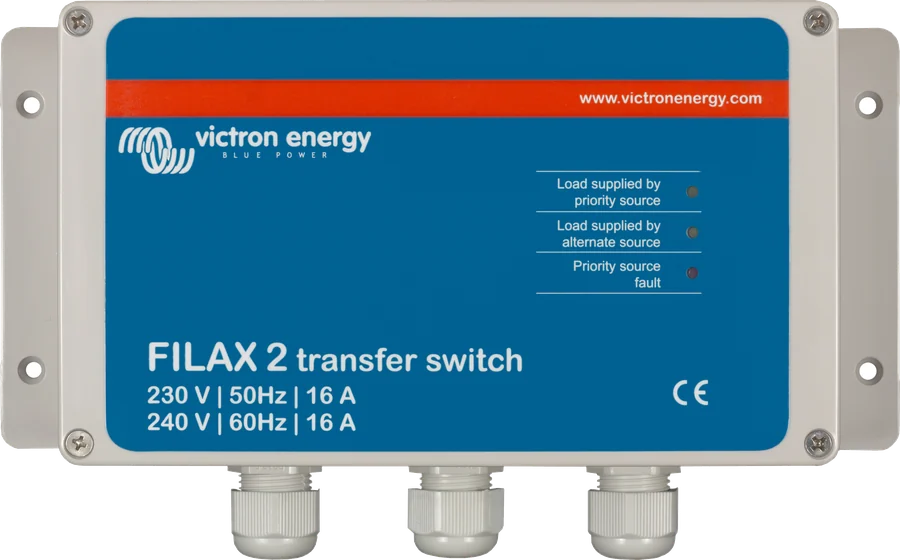
An ultra-fast switch for up to 16 A, monitoring voltage and frequency thresholds — for computers and other critical equipment that must not reboot. Filax 2 datasheet.
16 A · < 16 msQuattro
An inverter/charger with two AC inputs and its own transfer switch — no separate Transfer Switch needed. Quattro-II or Quattro 3–15 kVA.
two inputs in the inverterWhen choosing a model, current and starting load matter: 5 kVA means 20 A and a motor up to 1.3 kW, 10 kVA means 40 A and a motor up to 8 kW. The power of the connected inverter must not exceed the power of the switch.
Typical symptoms and what to do about them
The VE Transfer Switch has no display — it is a contactor-based unit. Time relay K11 has indicators visible through the window, but the manual does not describe them. Below are the behaviours described in the manual and what they mean when troubleshooting.
The generator is running, but the switch is waiting
This is normal: it only switches to input 1 after about 10 seconds of stable voltage. You can change the time on time relay K11.
The computer restarts during switching
The manufacturer warns that the loads have no power for a moment during switching. Power equipment that cannot tolerate a break through an inverter with UPS function or through Filax 2.
It switches back and forth
According to the manual, the switch leaves input 1 when the voltage or frequency there is not stable; the diagram does not show a separate measurement circuit, the contactors powered from input 1 do the switching. Check whether the source on input 1 — for example a generator under load — maintains stable voltage.
The terminals or cables are getting hot
The manual gives two causes: loose connections (tighten to 1.2 Nm) and too small a cable cross-section. The maximum conductor cross-section is 6 mm².
Motor or air conditioner behind the input
The technical data allow a motor up to 1.3 kW (5 kVA) and up to 8 kW (10 kVA) — this is the limit for the switch contacts, which do not limit current themselves. If the motor will not start, check whether the source (generator, inverter) can handle starting current.
The DMC panel does not show “GEN”
The K2 contact closes only when the output is operating from input 1 — so the generator must be on input 1. Also check the connection of terminals 1 and 2 of the contact to the screw terminal at the back of the panel, and the generator limit setting in the panel.
The RCD trips
Residual current devices must be part of the installation, and the protective conductors of all sources and loads must meet at one earthing point. See the earthing and RCD guide.
No voltage on the output
Check the MCBs on the inputs and output, and whether any source is supplying voltage at all. Input 1 is only connected to the output after the delay has elapsed.
Most common questions about the VE Transfer Switch
Which source should be connected to input 1?
Whichever one should have priority. With the Digital Multi Control panel, this must be the generator, because the “GEN” contact closes only when operating from input 1. In the manufacturer’s diagram, input 1 is the generator and input 2 is shore power: after the generator starts, the switch will automatically change to it after about 10 seconds. The manual also describes a setup with the inverter on input 2 — then the inverter takes over when input 1 loses voltage.
Is switching seamless?
No. Switching takes 5–20 ms when opening and 10–20 ms when closing the contacts, and the manufacturer warns that the loads are not powered during this time and computers may lose data.
Can I use it with a MultiPlus?
Yes — this is one of its main uses. The MultiPlus has one AC input, and the switch lets you feed it from two sources, for example shore power and a generator. The MultiPlus power must not exceed the switch power. With the Digital Multi Control panel, the auxiliary contact switches the current limit to the generator value.
Does it also switch the neutral conductor?
Yes. In the wiring diagram from the manual, contactor K1 switches the phase and neutral of both inputs. The protective conductors are not switched — all of them are connected to the installation’s central earthing point.
What cable cross-section?
Choose it according to current and protection, but no larger than 6 mm² — that is the maximum conductor cross-section according to the manual. All connections are tightened to 1.2 Nm.
Are there fuses or an RCD inside?
No. MCBs and RCDs are selected for the installation and fitted separately — the manual requires protection for the input and output cables and residual current devices.
Is it a three-phase switch?
No. Both models are single-phase, 200–250 V AC, 50–60 Hz.
Where should it be installed?
In a dry, well-ventilated place, on a wall — four holes in the back of the enclosure. The enclosure is IP54, operating temperature from −5 to +60 °C, humidity up to 95% non-condensing.
Manufacturer documentation
- VE Transfer Switch 5kVA, 10kVA — manual (Rev 00, 12/2022): operation, installation, DMC panel, technical data, wiring diagramvictronenergy.com · EN
- VE Transfer Switch — PDF manualvictronenergy.com · PDF · EN
- Declaration of Conformity — Transfer Switches (4 July 2022)victronenergy.com · PDF
- VE Transfer Switch — product page (models and part numbers)victronenergy.com · EN
Content compared with Victron Energy documentation (datasheets and manuals) — as of 10 October 2026. Report an error in the content · Change log