
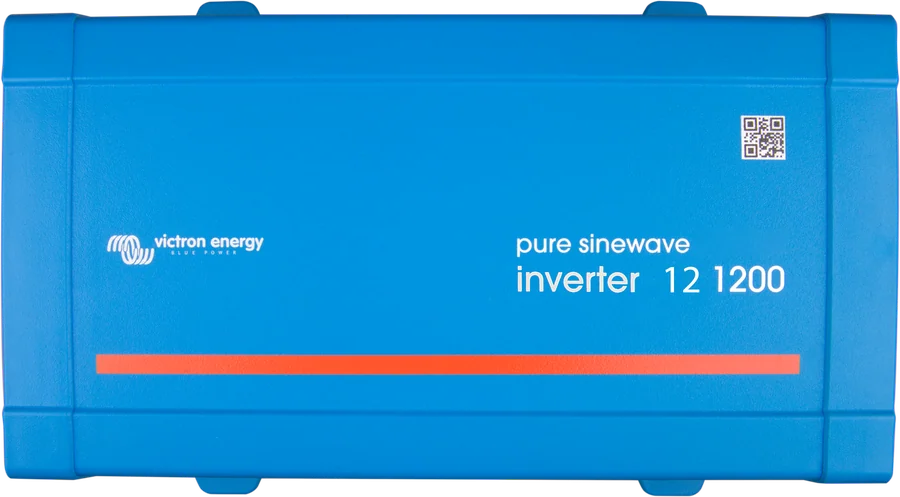
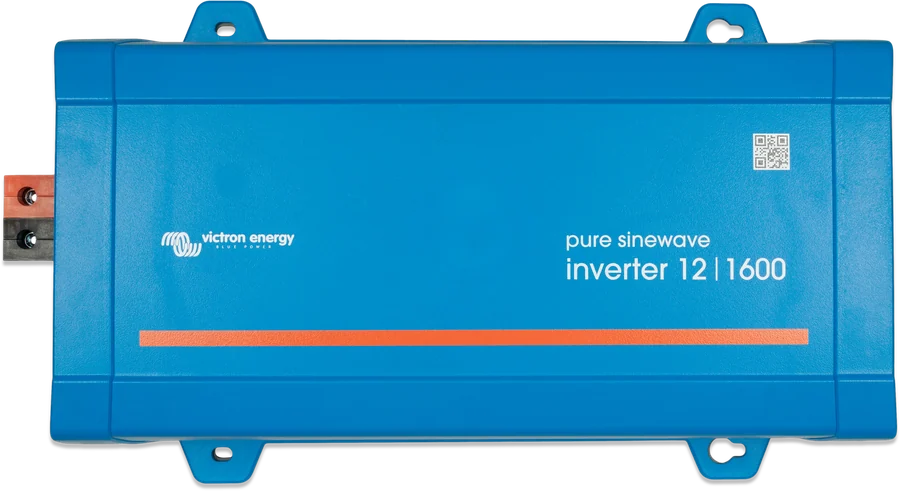
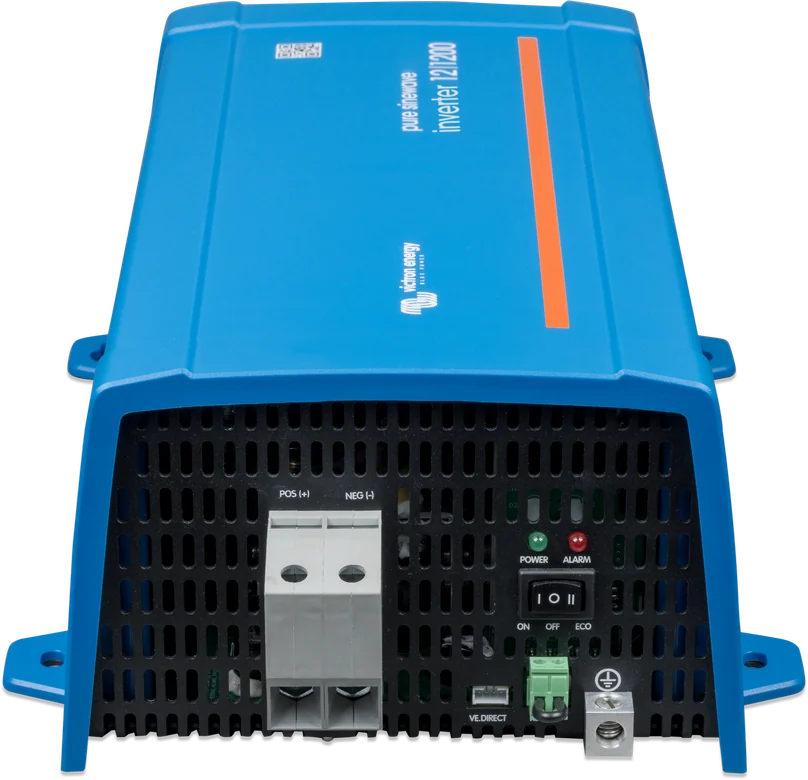
Phoenix Inverter 12|1200 VE.Direct — front of the case with pure sinewave marking
Phoenix Inverter VE.Direct
Small 230 V inverter with a toroidal transformer for powering loads from the battery — according to the manufacturer, it has high surge power, needed for example by LED power supplies, halogen lamps and power tools. This is only an inverter: no charger and no built-in AC source switch. ECO mode reduces no-load consumption, and the VE.Direct port lets you set and monitor it.
- 250–1600 VA
- 12 / 24 / 48 V
- toroidal transformer
- ECO mode
- VE.Direct
230 V socket powered from the battery
This is Victron’s smallest inverter with a toroidal transformer: it converts 12, 24 or 48 V from the battery to 230 V pure sine wave. Power from 250 to 1600 VA is enough for a laptop, lighting, a cool box, tool chargers or a TV.
It has no charger or source switch — you charge the battery separately, with solar panels via an MPPT solar charge controller, from the alternator or from a mains battery charger. Loads are plugged directly into the case socket (Schuko, IEC, UK or AU/NZ, depending on version) or into a 230 V installation made by an electrician.
- high surge power — LED power supplies, incandescent lamps and power tools start without trouble,
- ECO mode cuts self-consumption by around 85% when nothing is running,
- VE.Direct port: settings and monitoring in your phone, on a GX device or in the VRM portal.

What the Phoenix Inverter VE.Direct can do
Pure sine wave and surge power
Full-bridge design with a toroidal transformer. The large starting power reserve is useful for LED lamp power supplies, incandescent bulbs and power tools.
ECO mode
When the load falls below the threshold, the inverter goes into standby and checks every few seconds whether anything has switched on. Self-consumption drops by around 85% — in the smallest models to below one watt.
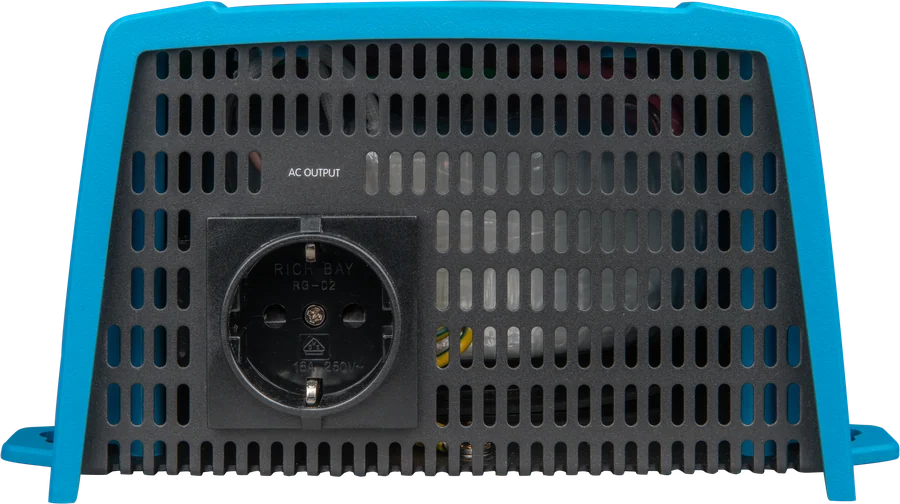
Case socket
Depending on version: Schuko (CEE 7/4), IEC-320 with plug included, UK (BS 1363) or AU/NZ. There is no fuse on the AC output — it is protected by a fast short-circuit current limiter and overload detection.
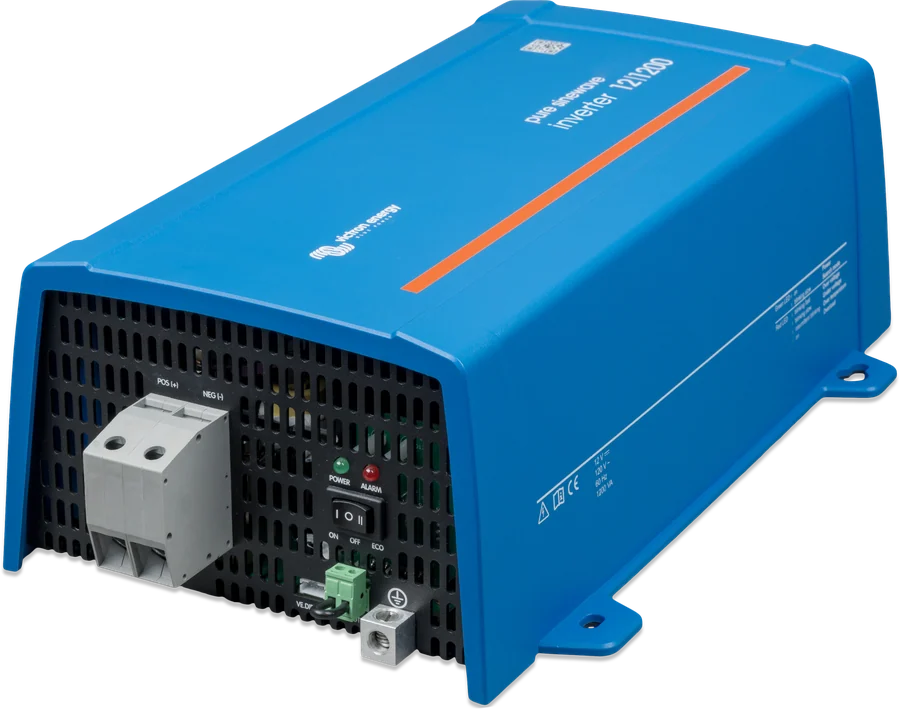
ON / OFF / ECO switch
Three-position switch on the case: on, off or ECO mode. You do not need a phone to change the operating mode.
VE.Direct port
To the VictronConnect app (via the VE.Direct–USB interface or the VE.Direct Bluetooth Smart dongle), to a GX device, for example Cerbo GX, and to GlobalLink 520. Bluetooth is not built in.
Monitoring and settings
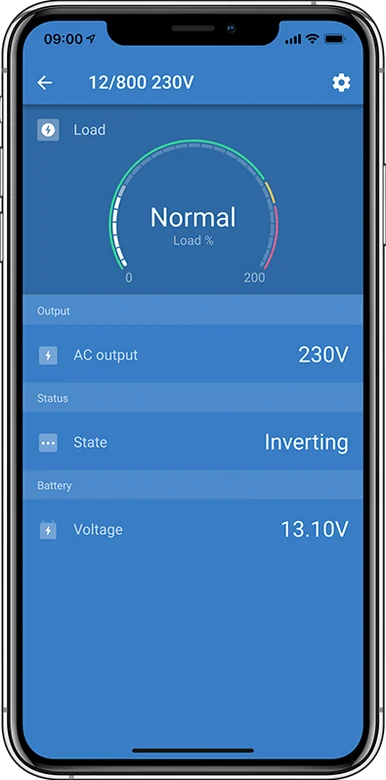
In the app you can see inverter status, battery voltage, AC output voltage, load as a percentage of rated power, plus warnings and alarms. You can set output voltage and frequency, battery thresholds and ECO mode sensitivity.
Remote on/off
From the app, an external switch, the Inverter Control panel, a lithium battery BMS or via a GX device and the VRM portal. Removing the remote plug hard-switches the inverter off.
Protections
Short-circuit proof AC output, overtemperature protection (from load or high ambient temperature), low and high battery voltage thresholds, and DC ripple control.
Power and self-consumption
| Power (12/24/48 V) | Continuous 25 °C / 40 °C | No-load consumption | In ECO mode | Weight | Max. DC cable cross-section |
|---|---|---|---|---|---|
| 250 VA | 200 / 175 W | 4.2 / 5.2 / 7.9 W | 0.8 / 1.3 / 2.5 W | 2.4 kg | 10 mm² |
| 375 VA | 300 / 260 W | 5.6 / 6.1 / 8.5 W | 0.9 / 1.4 / 2.6 W | 3.0 kg | 10 mm² |
| 500 VA | 400 / 350 W | 6 / 6.5 / 9 W | 1 / 1.5 / 3 W | 3.9 kg | 10 mm² |
| 800 VA | 650 / 560 W | 6.5 / 7 / 9.5 W | 1 / 1.5 / 3 W | 5.5 kg | 25 / 10 / 10 mm² |
| 1200 VA | 1000 / 850 W | 10 / 11 / 12 W | 1 / 1.5 / 3 W | 7.4 kg | 35 / 25 / 25 mm² |
| 12/1600 | 1450 / 1200 W | 12 W | 1.8 W | 8.9 kg | 50 mm² |
Values from the datasheet. The manual for newer hardware (HW15) gives slightly different figures for some models (for example peak power, efficiency, mass, dimensions of the 12/800 model) — check the data for your unit before buying. DC input: 9.2–17 V / 18.4–34 V / 36.8–62 V. 230 V output ± 3%, 50 or 60 Hz; voltage adjustable 210–245 V. Operating temperature from −40 to +65 °C (fan; above 40 °C power derates by 1.25% per °C). IP21.
How to reduce battery consumption
- ON / OFF / ECO switch on the case. In ECO mode the inverter goes into standby when the load falls below the set threshold (15 W by default), and checks every few seconds whether anything has switched on — consumption drops by about 85%. If the inverter in ECO mode keeps switching on and off, the load is too small for the threshold: lower the threshold or increase the load. The correct ECO settings depend on the type of load.
- Battery thresholds (default, 12 / 24 / 48 V): switch-off at 9.3 / 18.6 / 37.2 V; alarm and restart at 10.9 / 21.8 / 43.6 V; battery charge detection at 14.0 / 28.0 / 56.0 V. With a lithium battery and an external BMS, the inverter switches off via the remote input controlled by the BMS “load disconnect” output (see smallBMS NG).
- Dynamic cut-off (disabled by default) — do not use it if other loads are connected to the same battery.
- 230 V, 50 Hz by default. Bluetooth only through the optional VE.Direct Bluetooth Smart dongle; computer connection — via the VE.Direct–USB interface; monitoring in a GX device and in VRM. The manual states that settings should be changed by a qualified installer.
- Remote on/off — two-pin connector (bridged by default) or a wire from battery positive to the left pin of the connector. Removing the connector switches the inverter off completely.
How to connect the Phoenix Inverter VE.Direct
This is only an inverter: no charger and no source switch. The AC output must never come into contact with the grid or a generator — automatic switching is done by the Filax 2. Simplified diagram.
- Battery via fuseKeep the inverter as close to the battery as possible, but never above it.
- EarthClass I device — earth the case with a cable at least half the cross-section of the battery cables.
- AC outputFor loads only. Never in parallel with the grid or a generator.
- Source switchingFilax 2 switches between the grid and the inverter in under 20 ms.
- RCDThe output is floating — for the residual current device to operate, an N-to-PE connection is needed.
What is on both sides
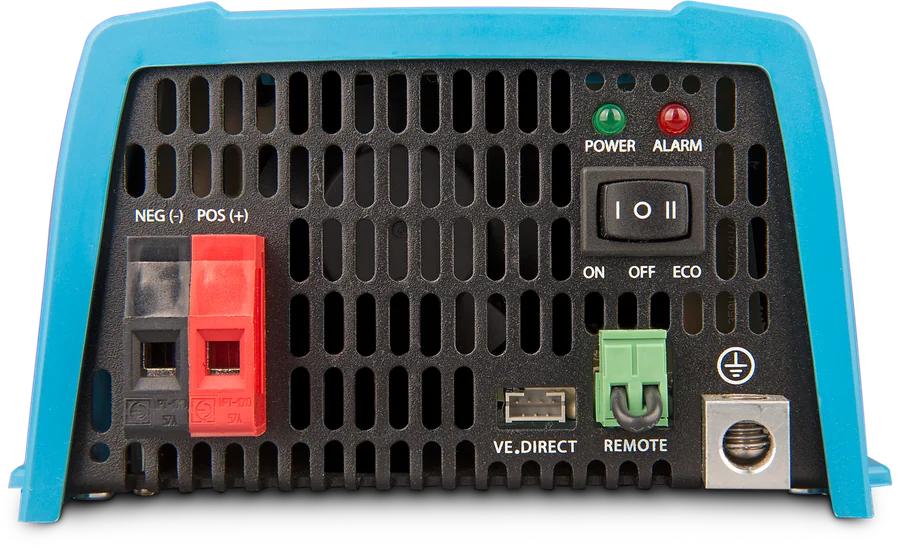
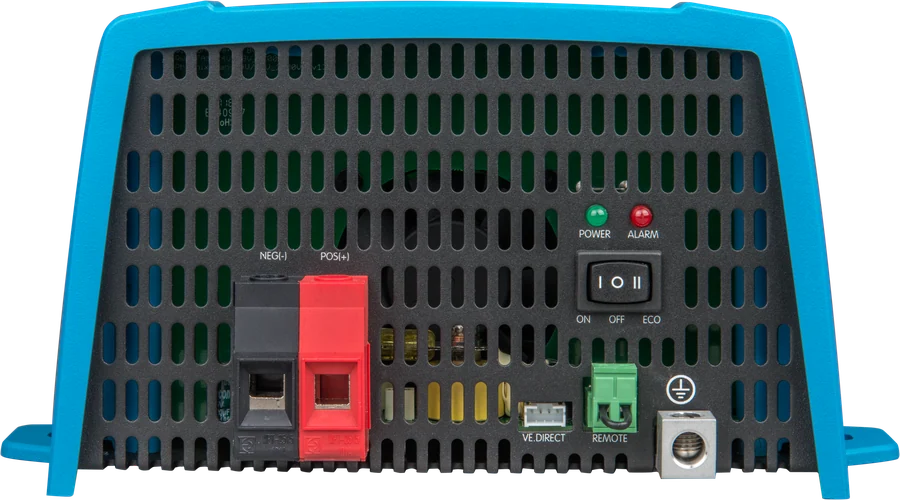
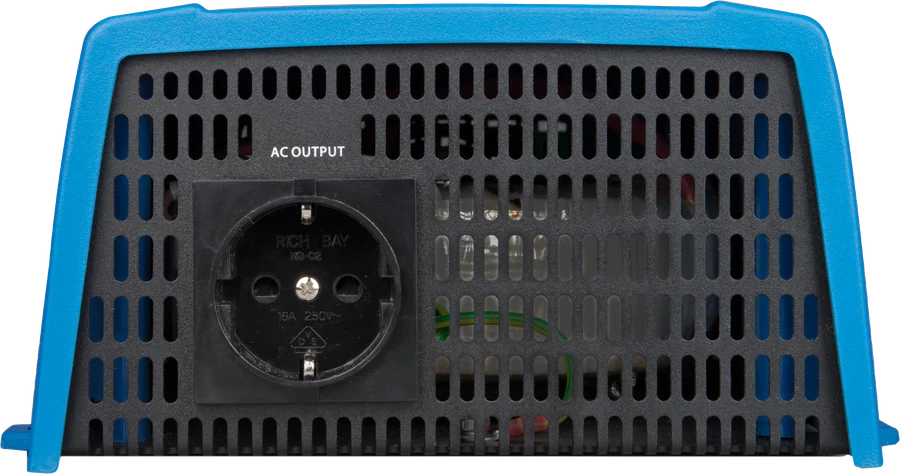
- Battery terminals — cable cross-section is limited by the terminal itself: 10 mm² in the 250–500 VA models, up to 50 mm² in the 12/1600. Keep the cables short to limit voltage drop and ripple.
- Case earthing — a cable with a cross-section of at least half the battery cable cross-section; the terminal accepts up to 25 mm². The AC output is isolated from the DC input and from the case.
- Remote connector — two contacts, H and L, factory bridged. Shorting H to L, H to the battery positive or L to the battery negative switches the inverter on; typical uses are a vehicle ignition switch and a signal from a lithium battery BMS.
- VE.Direct — cable to a GX device or GlobalLink 520, VE.Direct–USB interface to a computer, or a VE.Direct Bluetooth Smart dongle to a phone.
- The Inverter Control panel connects to the remote connector — note the polarity, as correct operation depends on it.
- AC output without a fuse: in a short circuit a fast current limiter operates, and in an overload a detection circuit acts like a fuse — the greater the overload, the faster the shut-down.
What to watch out for
Never connect the inverter output to another AC source — a mains socket or a generator. To switch between the inverter and the mains, the manufacturer recommends the automatic Filax2 switch (switching time below 20 ms). The inverter has no AC output fuse — it is protected by short-circuit current limiting and overload detection.
- Installation should be carried out by a qualified electrician. During installation, remove the remote connector so the inverter cannot switch on unexpectedly.
- A dry, ventilated location, as close to the battery as possible, but never above it; 10 cm of free space around it. Never in a wet or dusty environment, or where there is a risk of gas or dust explosion. Mounting on a base gives IP21, on a wall with the fan facing downwards — IP20.
- Earthing: this is a Class I device — the case must be earthed with a cable with a cross-section of at least half the battery cable cross-section (the terminal accepts up to 25 mm²).
- RCD: the output is “floating” — for the residual current device on the output to work, an internal or external N-to-PE connection is required. More: earthing and RCD.
- The terminals may be at dangerous voltage even after switching off — disconnect the battery before working. There are no user-serviceable parts inside; a blown internal fuse means the unit must be serviced.
- Choose the cable cross-section and DC fuse according to Victron guidelines (calculator); the maximum terminal cross-section is given in the table above. Loose connections or cables that are too thin cause high DC ripple, which shortens the inverter’s service life.
POWER and ALARM LEDs
The inverter has only two LEDs: green POWER and red ALARM. Their combinations show whether it is a warning or a shut-down — the same information is visible in the VictronConnect app and in the VRM portal.
Both LEDs off
The inverter is switched off or has no supply. Check the ON / OFF / ECO switch, the bridge or switch on the remote connector, and the DC terminal voltage and fuse.
POWER on
Normal operation — the inverter is supplying 230 V loads.
POWER slow flashing
ECO mode: the inverter is on standby and looks for a load every few seconds. If it keeps switching on and off despite a connected load, lower the wake-up threshold or increase the load.
POWER on, ALARM on
Overload warning — the load exceeds the rated power. Reduce it before the inverter switches off.
POWER double flashing, ALARM on
Overload alarm: the inverter has switched off. Remove the cause and restart it with the switch.
POWER on, ALARM slow flashing
Low battery voltage warning. Charge the battery or disconnect some loads; also check the terminals and cable cross-section.
POWER on, ALARM fast flashing
Battery voltage too high warning. Check the charger, alternator and solar controller, and how the bank is connected.
POWER on, ALARM double flashing
High temperature warning. Reduce the load, improve ventilation or move the inverter to a cooler place.
ALARM single flash at longer intervals
DC voltage ripple too high — usually loose terminals or battery cables that are too thin or too long.
LEDs flash alternately
Software update in progress or a calibration or parameter error has occurred. In the second case, contact the dealer.
The inverter restarted after an overload
That is how the protection works: after switching off, it waits 30 seconds and starts again. After three attempts ending in another overload within 30 seconds, it remains off until you restart it manually.
Shutdown due to battery voltage, temperature or ripple
At low voltage the inverter restarts automatically when the voltage rises above the restart threshold (after 30 s at the earliest); at high voltage, overheating and ripple it restarts after 30 s, once the cause has cleared. After three failed attempts it remains off.
VE.Direct, Inverter Smart or MultiPlus-II
Phoenix Inverter VE.Direct
250–1600 VA, socket in the case, ECO mode and VE.Direct port. Bluetooth only via an optional dongle. The datasheet states 1600 VA for 12 V, and the HW15 manual also for 24 and 48 V.
250–1600 VA · 12/24/48 VInverter Smart
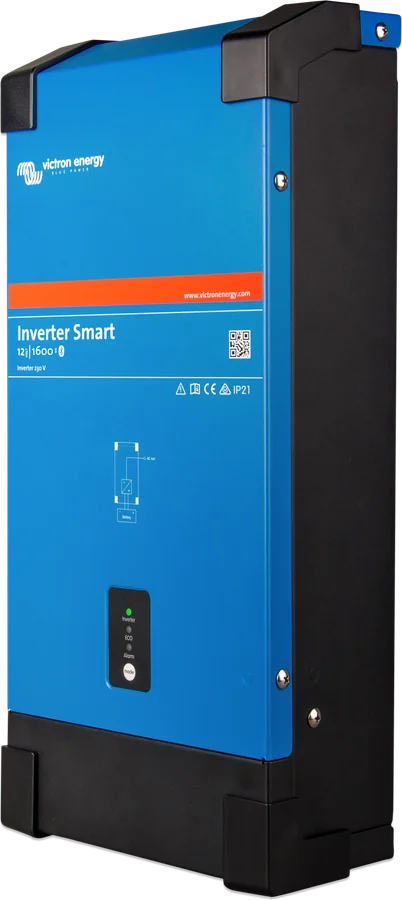
1600–5000 VA with built-in Bluetooth, programmable relay and terminals instead of a socket. Inverter Smart datasheet.
1600–5000 VAMultiPlus-II
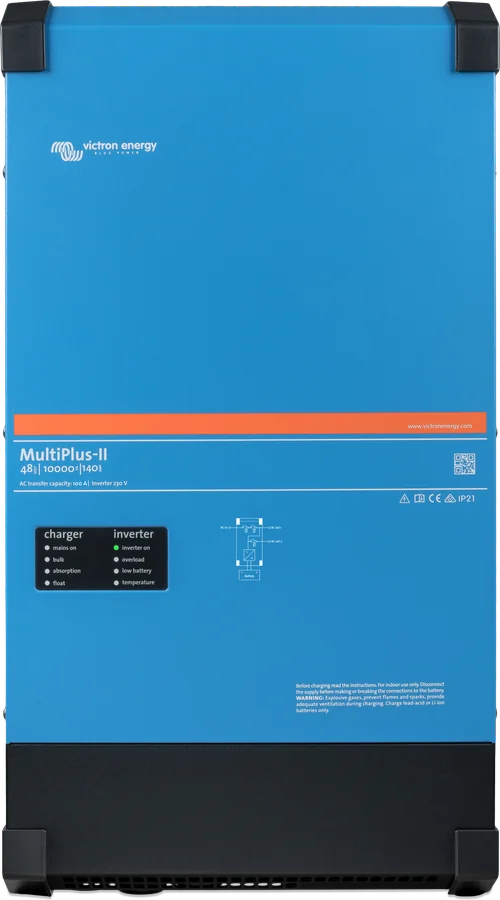
When you also need charging from shore power and automatic changeover to mains — an inverter, charger and switch in one case. MultiPlus-II datasheet.
UPS + chargerTo switch loads between the inverter and the mains at these power levels, the manufacturer recommends the automatic Filax 2 switch (switching time below 20 ms).
Classic series with a VE.Bus port — 1200–5000 VA, also 48 V, parallel operation of up to six units and three-phase: Phoenix Inverter (VE.Bus).
Frequently asked questions about Phoenix Inverter VE.Direct
Does the inverter have a charger or mains switch?
No. This is an inverter only — without a charger and without a built-in AC source transfer switch. For automatic switching between the mains and the inverter, the manufacturer recommends Filax 2 (switching time below 20 ms).
Can I connect the inverter output to a 230 V installation in a campervan?
Yes, but never in parallel with another AC source — a mains socket or a generator. The installation should be carried out by a qualified electrician, and the case must be earthed with a cable with a cross-section of at least half the battery cable cross-section.
Why does the residual current device not work on the output?
The inverter output is “floating”. For an RCD to operate, an internal or external connection between N and PE is required — we cover this in the guide to earthing and RCDs.
What does ECO mode do?
It limits battery draw when nothing is running: the inverter sends pulses and wakes only when it detects a load. The threshold and time are set via the VE.Direct port.
Does the inverter have an AC output fuse?
No. The output is protected by short-circuit current limiting and overload detection. A blown internal fuse means the unit needs service — there are no user-serviceable parts inside.
How is it different from Inverter Smart?
By power and connection method: VE.Direct is 250–1600 VA with a socket in the housing and no built-in Bluetooth, Inverter Smart is 1600–5000 VA with Bluetooth, a programmable relay and AC terminals. ECO mode, battery thresholds and the “three restart” principle work the same.
How can I connect the inverter to a phone if it has no Bluetooth?
Via the VE.Direct port: with a VE.Direct Bluetooth Smart dongle to a phone, or a VE.Direct–USB interface to a computer. You can also connect it with a VE.Direct cable to a GX device (for example, Cerbo GX) or to a GlobalLink 520 and see the data in the VRM portal.
Can I switch the inverter off externally?
Yes, in five ways: from the app, with an external switch on the remote connector, with an Inverter Control panel, with a signal from a lithium battery BMS, or via a GX device and VRM. Removing the remote plug switches the unit off completely — then it cannot be turned on either with the switch or remotely.
How should I mount the inverter to preserve IP21?
Only on the base, horizontally. Mounting on a wall with the fan facing down or horizontally on a wall gives IP20 — small objects or dust can then enter through the vents. The manufacturer does not permit ceiling mounting or vertical mounting with the fan at the top.
The inverter switched off and does not come back on — what now?
After overload, low battery voltage or excessive ripple, the inverter tries to restart after 30 seconds. If the problem repeats after three attempts within 30 seconds, it remains switched off permanently — remove the cause and restart it with the switch, or charge the battery above the charging-detection threshold.
Manufacturer documentation
Content checked against Victron Energy documentation (datasheets and manuals) — as of 19 September 2026. Report a content error · Revision log