
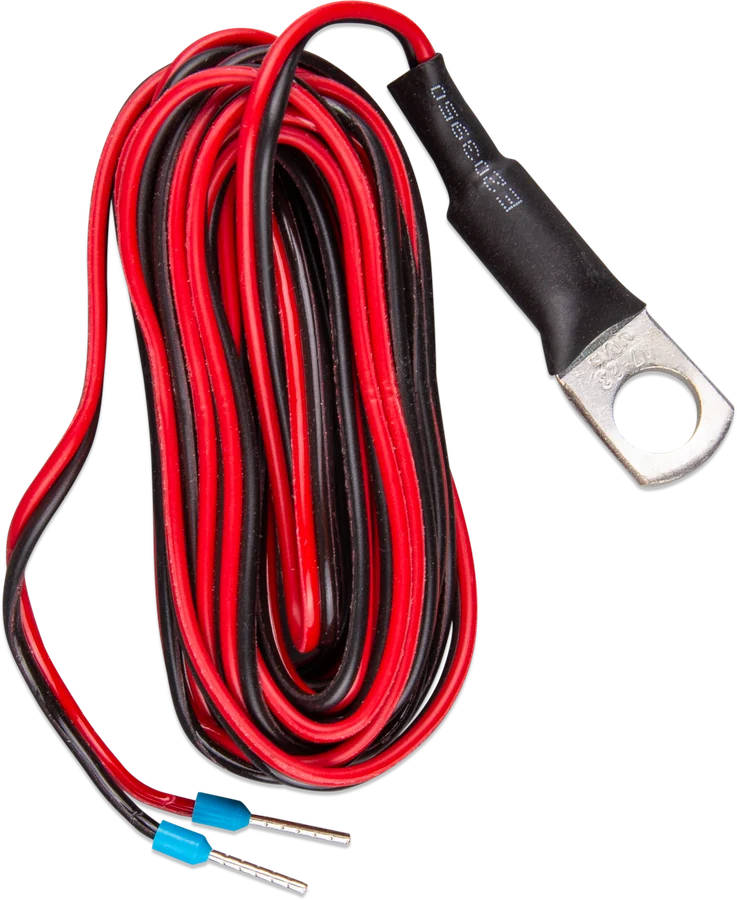
Temperature sensor for Quattro, MultiPlus and GX devices (ASS000001000) — eyelet and leads with ferrules
Victron temperature sensors
Battery temperature allows chargers to adjust charging voltage and, with lithium batteries, to limit or stop charging in frost. Victron has several wired sensors, each for a different group of devices. They look similar (an eyelet on the battery terminal and two leads), but they are not interchangeable.
- MultiPlus · Quattro · GX
- BMV · SmartShunt
- Inverter RS · MPPT RS
- Buck-Boost
Which sensor for which device
| Sensor | Number | Devices | Temperature in VRM |
|---|---|---|---|
| Sensor for Quattro, MultiPlus and GX | ASS000001000 | MultiPlus, Quattro, GX devices (Cerbo, Ekrano, Venus GX…), VE.Can MPPT charge controllers, Lynx Shunt VE.Can, Skylla chargers | yes (Multi, GX, MPPT VE.Can, Lynx Shunt) |
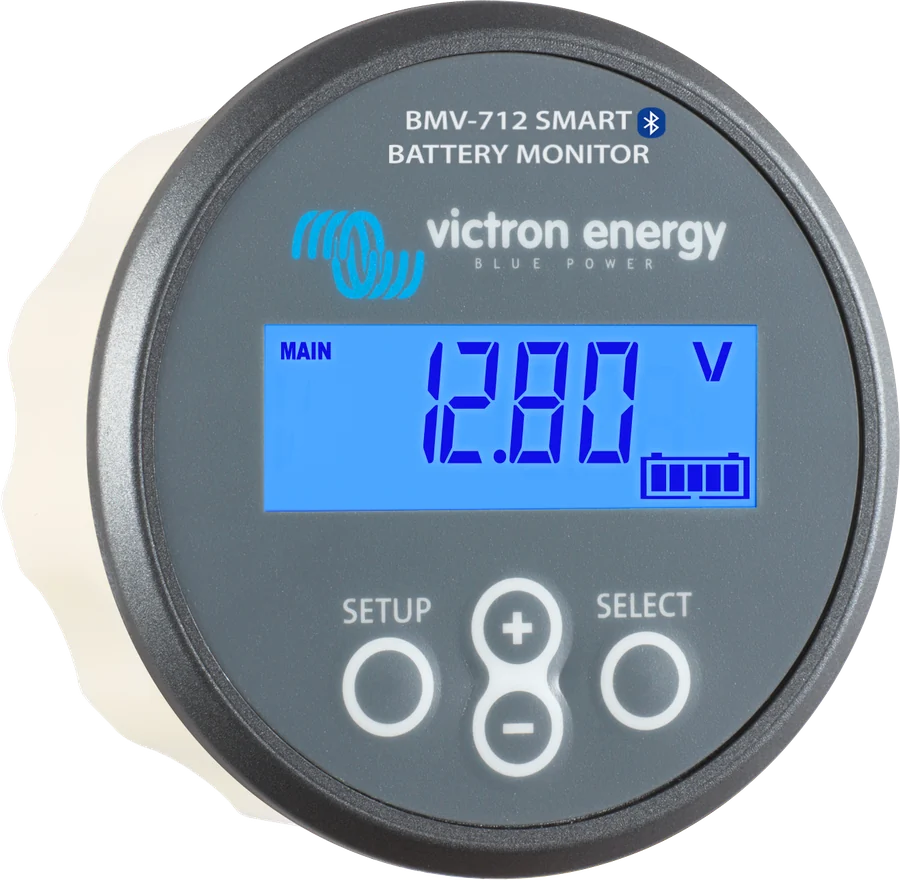
| Sensor for BMV-712 Smart and BMV-702 | ASS000100000 | BMV-712, BMV-702, SmartShunt; also as an external probe for the VE.Bus Smart dongle | yes |
| Type C sensor | ASS000020000 | Inverter RS Smart Solar, MPPT RS (spare sensor) | no |
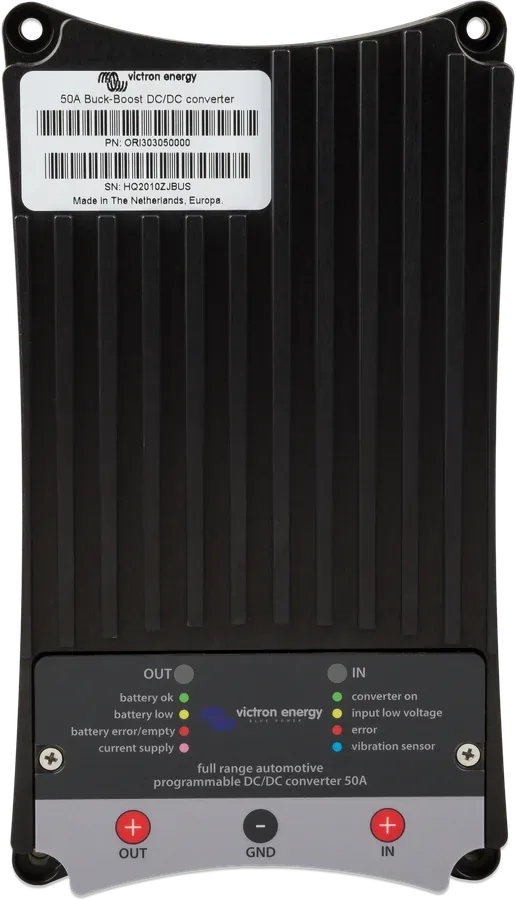
| CAN-bus Temp. Sensor | ASS000200100 | Buck-Boost DC-DC; it can also be connected to the temperature sensor input in Multi and Quattro | — |
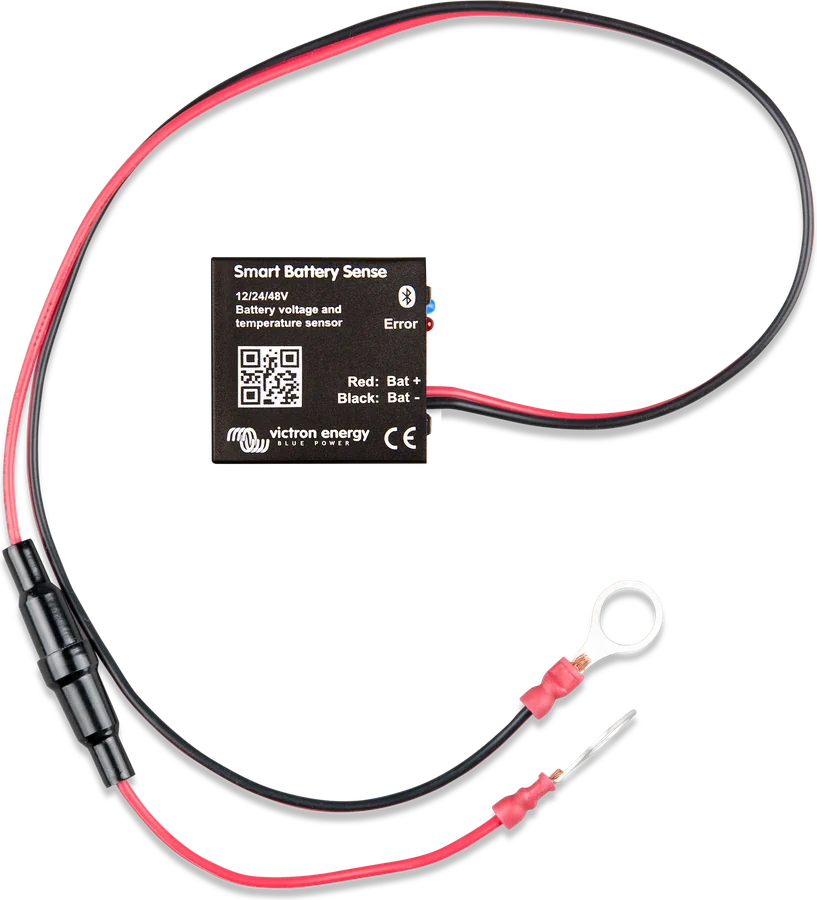
Without a cable: Smart Battery Sense (temperature and voltage via Bluetooth to MPPT and Smart chargers) and the VE.Bus Smart dongle with a built-in sensor. GX devices also read wireless Ruuvi sensors via Bluetooth. Whether a sensor is included with the device depends on the model — check its datasheet.
Three sensors in one installation
The same system, three different sensors: battery temperature for the charger in the Multi, for the battery monitor, and a room or fridge sensor in the GX. Illustrative diagram.
- SelectionSensor according to the device, not according to appearance.
- InstallationEyelet on the battery terminal (or at the measured location for GX).
- CablesFerrules for the terminals, according to the colours.
- ActivationIn GX — in the sensors menu; in BMV — Aux input set to “Temperature”.
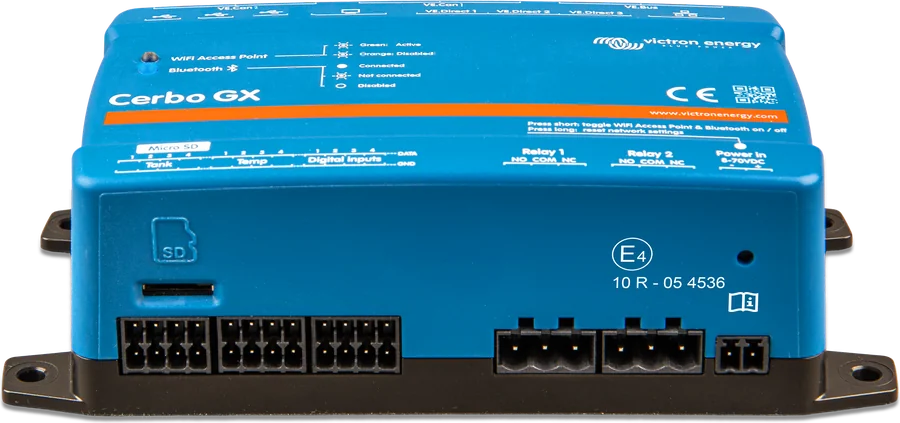
Sensor in Cerbo GX and Ekrano GX
- Sensor: only ASS000001000. It is not included with GX — order it separately.
- Range: −40 to +70 °C. Measures any location, not only the battery — it looks like a cable lug, but it does not have to be on the battery.
- Number of inputs: Cerbo GX — 4, Ekrano GX and Venus GX — 2 each.
- Connection: lead with a ferrule or at least 10 mm of stripped copper, pushed fully into the removable terminal block; release it with the orange button. Red lead to the upper terminal, black to the lower one.
- Activation: Settings → Integrations → Tank and Temperature Sensors. Then the sensor appears in the device list and in VRM.
- Sensor settings: type (Battery, Fridge, General), offset, scale multiplier 1–10, sensor voltage readout, custom name.
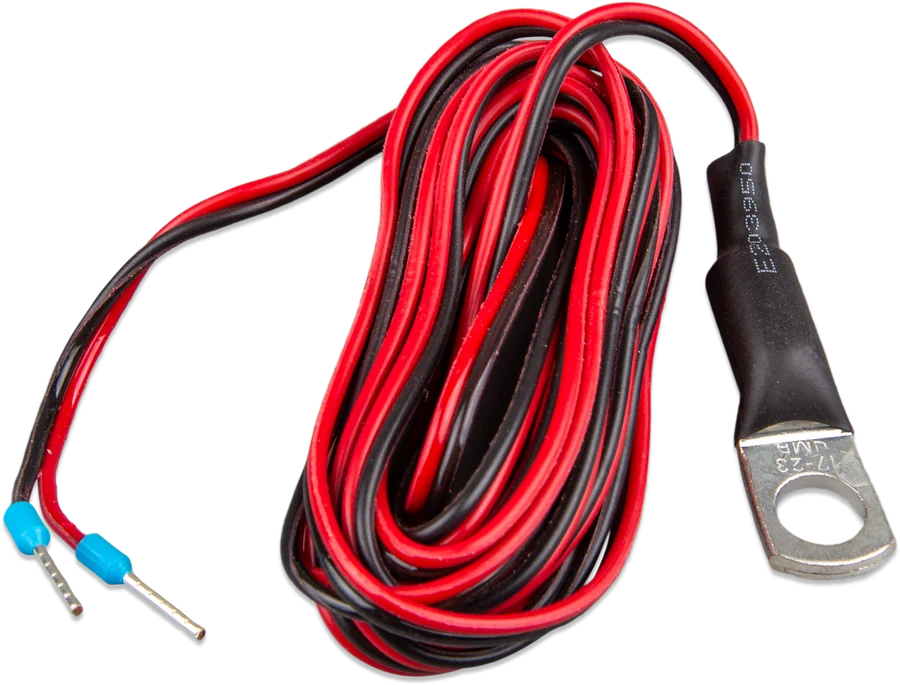
Sensor in BMV-702 and BMV-712
- LeadsInsert the ferrule of the black sensor lead into +B2, the red one into +B1.
- EyeletFit the M10 lug to the battery positive terminal. The sensor then replaces the two red fused leads supplied with the BMV.
- SettingSet the auxiliary input (Aux) to “Temperature”. High and low temperature alarms, the °C/°F unit and the temperature coefficient will appear.
Temperature coefficient of capacity: below 20 °C the available battery capacity falls — typically by 18% at 0 °C and by 40% at −20 °C. The BMV takes this into account using a coefficient: typically 1% of capacity per °C for lead-acid batteries and 0.5%/°C for LFP. Above 20 °C the effect is ignored.
SmartShunt supports the same sensor — its manual describes the connection (see SmartShunt).
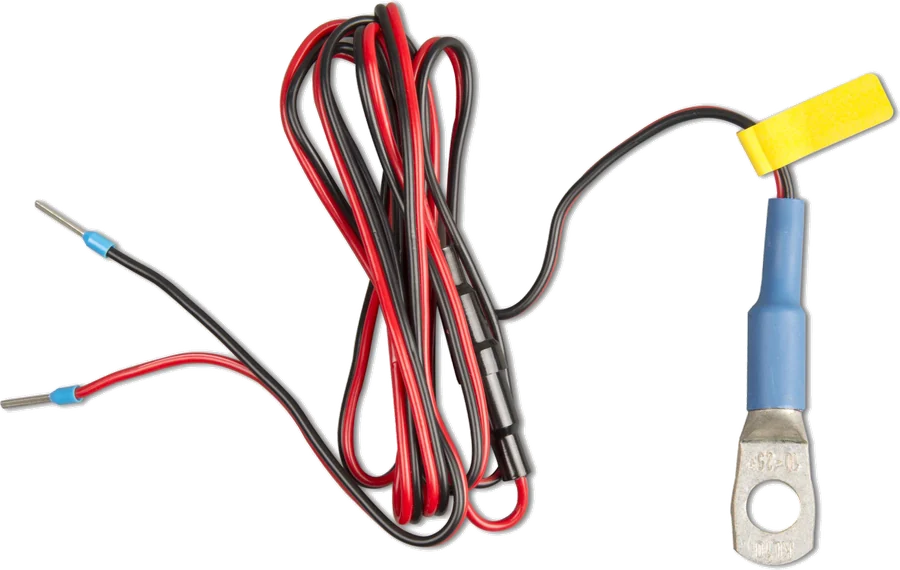
CAN-bus Temp. Sensor — LFP in frost
LFP batteries must not be charged at temperatures close to zero or below — this permanently damages the cells. Charging current must be reduced below 5 °C and stopped below 0 °C.
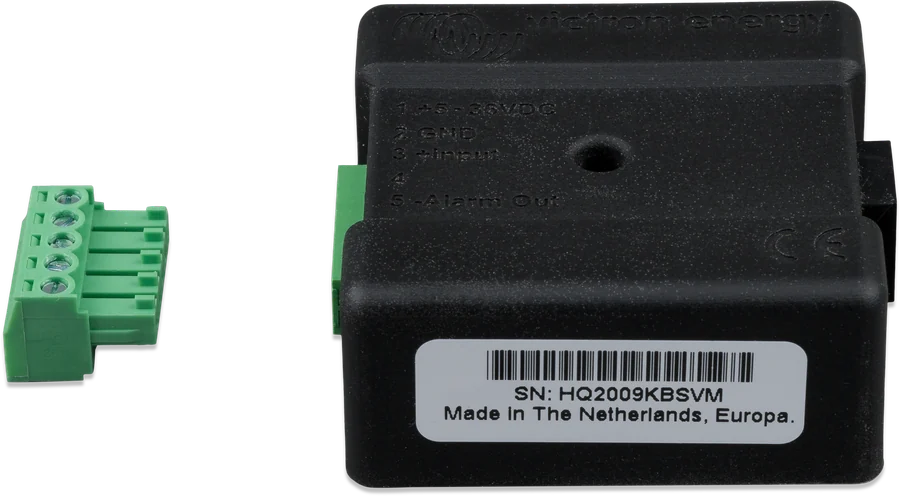
The CAN-bus Temp. Sensor measures battery temperature and sends it to the Buck-Boost DC-DC converter, which limits or stops charging. Victron describes it as essential when a Buck-Boost charges an LFP battery. You can also connect it to the temperature-sensor terminal on a Multi or Quattro.
- power supply 4–36 V DC, current draw 60 mA at 13.6 V,
- output for disconnecting a large load and alarm output,
- status LEDs.
More on charging lithium in winter: LiFePO4 in winter.
Can the cable be shortened or extended
- Shortening: sensor cables can be shortened without problems.
- Extending: Victron does not recommend or support it. If necessary, add a short section with a suitable cross-section — a small increase in resistance will not affect the temperature reading.
- BMV sensor: be more careful here — the sensor cable is also used for voltage measurement, so a noticeable increase in resistance will also worsen the battery voltage reading.
- Smart Battery Sense: its wires also power the sensor itself; too much resistance will give a voltage reading that is too low.
Frequently asked questions about temperature sensors
I have a sensor from a MultiPlus — can I connect it to a BMV-712?
No. The BMV-712, BMV-702 and SmartShunt need sensor ASS000100000. The MultiPlus sensor (ASS000001000) is suitable for the temperature inputs on Cerbo GX and Ekrano GX.
Does the GX sensor have to be on the battery?
No. On a GX device you can use it to measure, for example, a fridge or a room — the type is set in the sensor menu.
Will the temperature reach VRM?
From sensors on a Multi, GX, MPPT VE.Can, Lynx Shunt VE.Can and BMV/SmartShunt monitors — yes (via the GX device). From a type C sensor and from Smart Battery Sense — according to Victron’s overview, no.
Why do I need a sensor if I have Smart Battery Sense?
Smart Battery Sense sends temperature only by Bluetooth in the VE.Smart network (MPPT controllers and Smart chargers). MultiPlus, Quattro, GX and Buck-Boost use wired sensors.
Manufacturer documentation
- Temperature Sensors — overview of sensorsvictronenergy.com · EN
- Cerbo GX manual — temperature sensorsvictronenergy.com · EN
- CAN-bus Temp Sensor manualvictronenergy.com · PDF · EN and other languages
- Product page — sensor for BMV-712 and BMV-702victronenergy.com · EN
- Product page — sensor for Quattro, MultiPlus and GXvictronenergy.com · EN
Content checked against Victron Energy documentation (datasheets and manuals) — status as of 23 September 2026. Report an error in the content · Correction log