
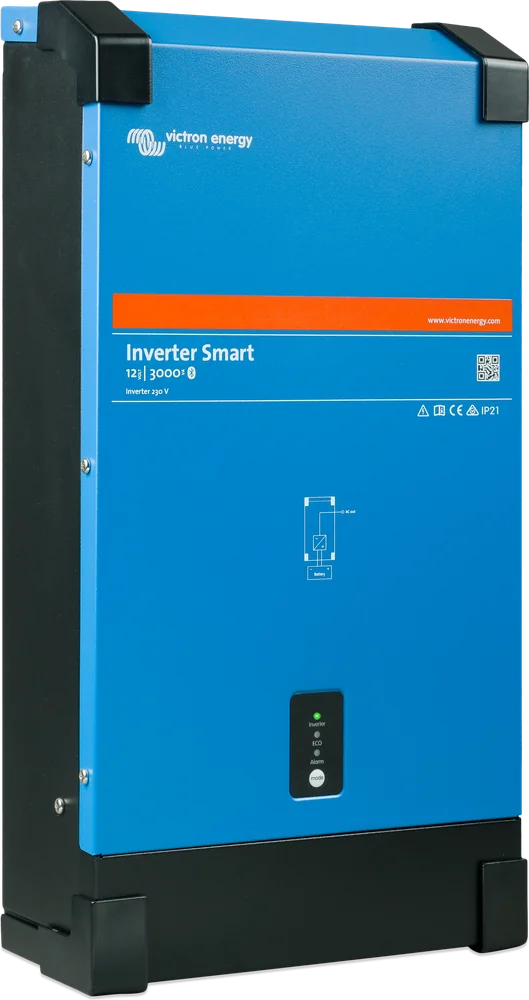
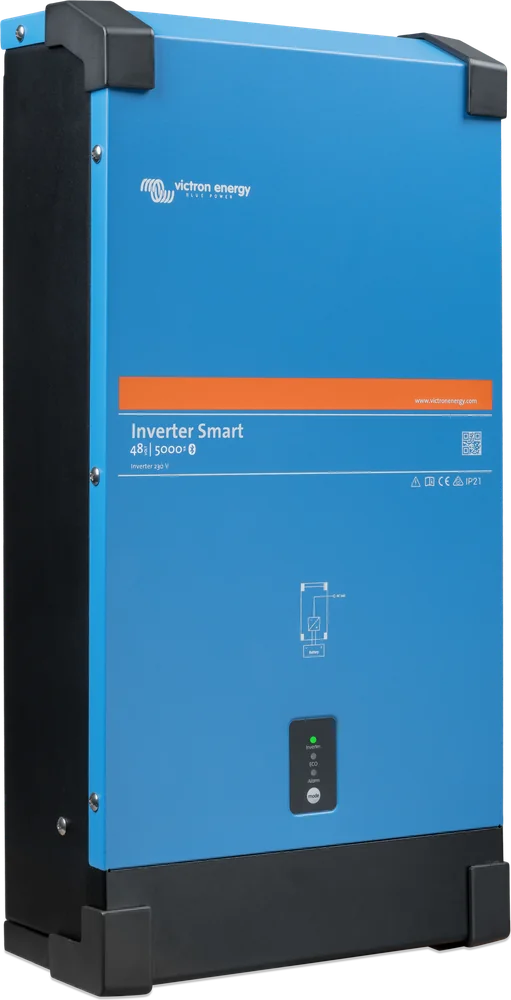
Phoenix Inverter Smart 12/3000 — side view
Inverter Smart (formerly Phoenix Inverter Smart)
A stand-alone pure sine wave inverter: it turns 12, 24 or 48 V battery power into 230 V. No charger and no transfer switch — simpler and cheaper when you charge the battery from solar or the alternator.
- 12 / 24 / 48 V DC
- 1600–5000 VA
- 230 V · 50/60 Hz
- Bluetooth
- ECO mode
- IP21
230 V from the battery — and nothing else
Phoenix Inverter Smart has one job: to convert direct current from the battery into 230 V pure sine wave. You can run a laptop, coffee machine, fridge, TV or power tools from it — just as from a socket at home.
Unlike the MultiPlus-II, it has no built-in charger or transfer switch. It is a good choice when you charge the battery in another way — from panels via an MPPT solar charge controller, from the alternator via Orion XS, or from a separate mains battery charger — and you only need 230 V from the battery.
- campervans and vans without frequent connection to campsite hook-up,
- boats, holiday cabins, off-grid systems with panels,
- work vehicles: power tools and site equipment.
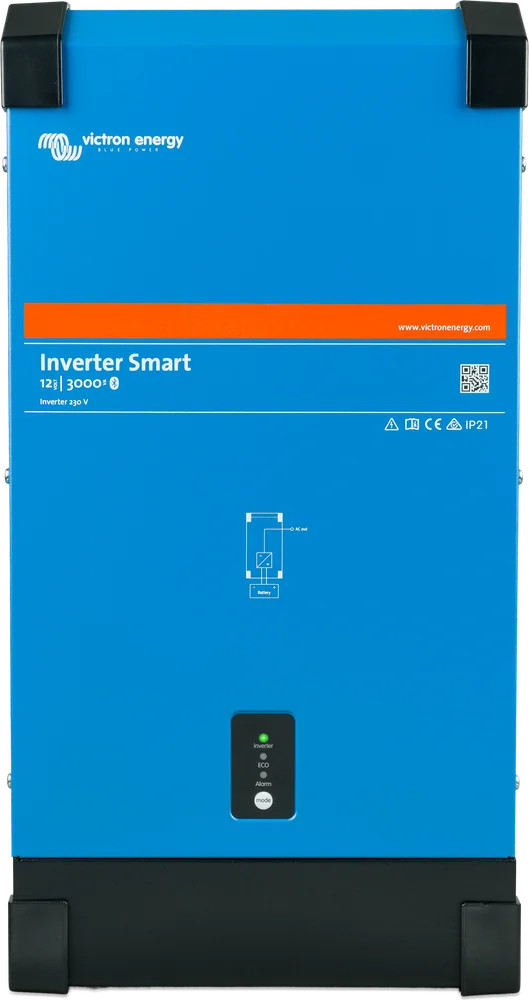

What the Phoenix Inverter Smart can do
Pure sine wave and high starting power
Toroidal transformer and full-bridge design. A large peak power reserve is useful when starting LED power supplies, halogen lamps and power tools.
ECO mode
When the load falls below the set threshold, the inverter goes into standby and every approx. 3 s (adjustable 0–64 s) checks whether anything has been switched on. It wakes up at a load from approx. 60 VA (factory setting). Consumption then drops to 0.6–3.2 W.
Bluetooth
In the VictronConnect app you can set the output voltage (210–245 V), frequency 50/60 Hz, battery cut-off thresholds and ECO mode, and view voltages, load and alarms live.
Battery protection
Low voltage alarm and cut-off with restart. Dynamic cut-off (disabled by default) makes the threshold depend on the load — this is mainly useful with OPzS/OPzV batteries. Do not enable it when other loads are connected to the same battery: the inverter will switch off too early.
Remote on/off and relay
Two-pole remote on/off connector (switch, relay contact or signal from positive or negative). Programmable relay: alarm, low voltage or generator start.
VE.Direct
Port to a GX device (Cerbo GX, Ekrano GX) and VRM portal, or to a computer via the VE.Direct–USB interface.
Four power ratings, three voltages
| Parameter | 1600 VA | 2000 VA | 3000 VA | 5000 VA |
|---|---|---|---|---|
| Battery voltage | 12 / 24 / 48 V | 12 / 24 / 48 V | 12 / 24 / 48 V | 24 / 48 V |
| Continuous power at 25 °C | 1300 W | 1600 W | 2400 W | 4000 W |
| Continuous power at 40 °C | 1200 W | 1450 W | 2200 W | 3700 W |
| Continuous power at 65 °C | 800 W | 1000 W | 1700 W | 2800 W |
| Peak power | 3000 W | 4000 W | 6000 W | 10 000 W |
| Max. efficiency (12 / 24 / 48 V) | 92 / 94 / 94% | 92 / 94 / 94% | 93 / 94 / 95% | — / 95 / 96% |
| No-load current draw (12 / 24 / 48 V) | 8 / 9 / 11 W | 8 / 9 / 11 W | 12 / 13 / 15 W | — / 18 / 20 W |
| ECO mode current draw (12 / 24 / 48 V) | 0.6 / 1.3 / 2.1 W | 0.6 / 1.3 / 2.1 W | 1.5 / 1.9 / 2.8 W | — / 2.2 / 3.2 W |
| Weight | 12 kg | 13 kg | 19 kg | 29 kg (24 V) / 28 kg (48 V) |
| Dimensions (H × W × D) | 485 × 219 × 125 mm | 485 × 219 × 125 mm | 533 × 285 × 150 mm (12 V) 485 × 285 × 150 mm (24/48 V) | 595 × 295 × 160 mm (24 V) 555 × 295 × 160 mm (48 V) |
| Battery connection | M8 screws | M8 screws | 12/24 V: 2+2 M8 bolts 48 V: M8 bolts | 24 V: 2+2 M8 bolts 48 V: M8 bolts |
How to read the name: 12/3000 = 12 V battery, 3000 VA power. The VA rating applies to non-linear loads; in watts, the 3000 VA model delivers 2400 W at 25 °C. Power drops with ambient temperature — at 40 °C it is already 2200 W. The 5000 VA model is not available in 12 V.
- Output voltage
- 230 V ±2%, 50 or 60 Hz
- Output voltage adjustment
- 210–245 V
- DC voltage range
- 9.3–17 / 18.6–34 / 37.2–68 V
- Parallel and 3-phase operation
- no
- Operating temperature
- −40 … +65 °C (with derating); recommended ambient −20 … +40 °C
- Enclosure
- steel, IP21
- Relay
- AC: 3 A / 230 V (per manual); DC: 4 A up to 35 V, 1 A up to 60 V
- EMC approval for vehicles
- ECE R10-5
Battery → Phoenix → 230 V sockets
The Phoenix only draws energy from the battery. Charging is provided by separate devices. Hover over or tap a diagram element to see the description.
- MPPT · Orion XS · charger → batteryCharging from panels, alternator and mains socket — with separate devices.
- Battery → PhoenixThrough a fuse and isolator, using short and thick cables.
- Phoenix → 230 V loadsPure sine wave just like from a socket at home.
- Phone / Cerbo GXBluetooth or VE.Direct: monitoring, settings, alarms.



What is under the cover
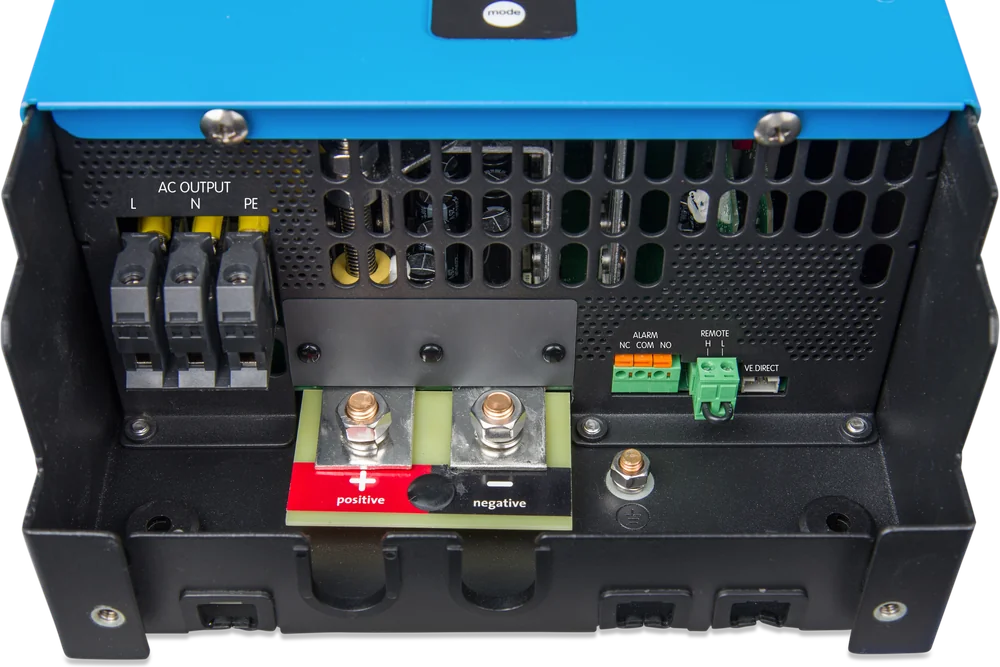
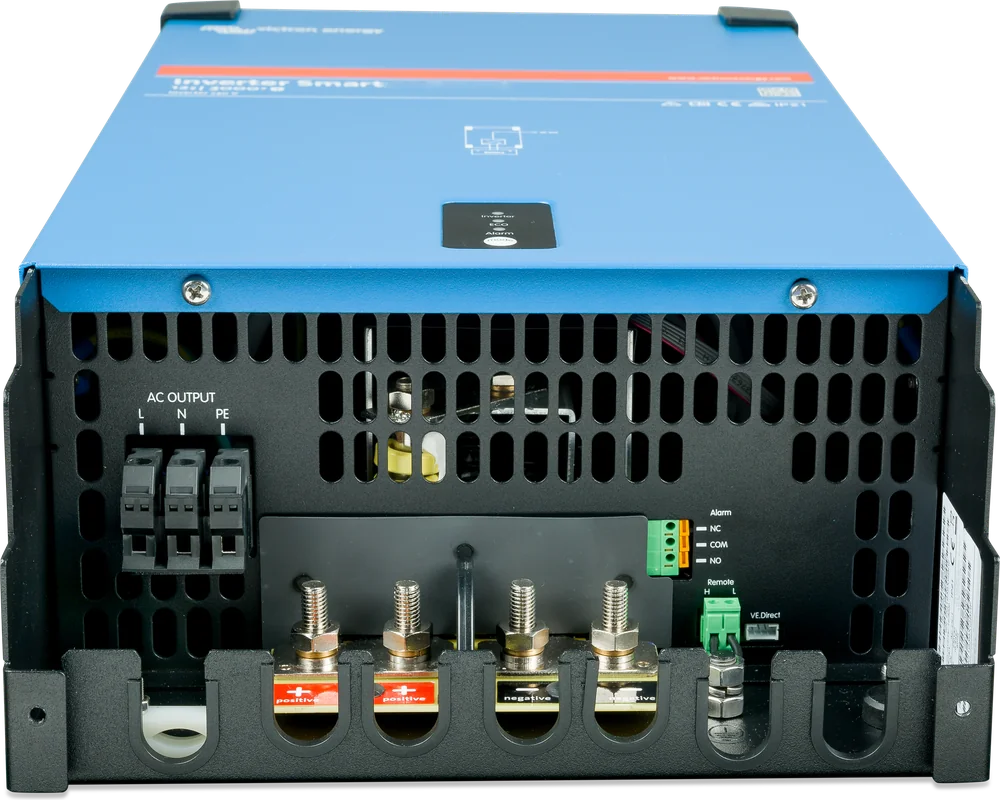
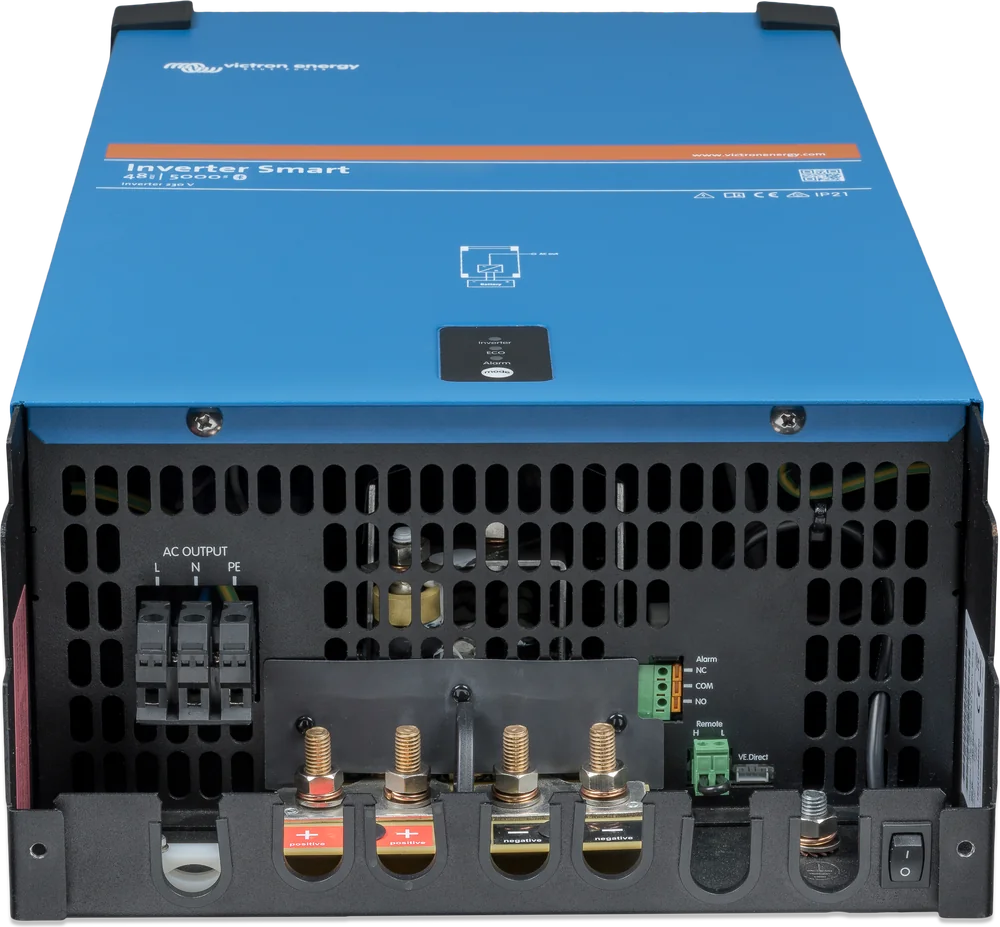
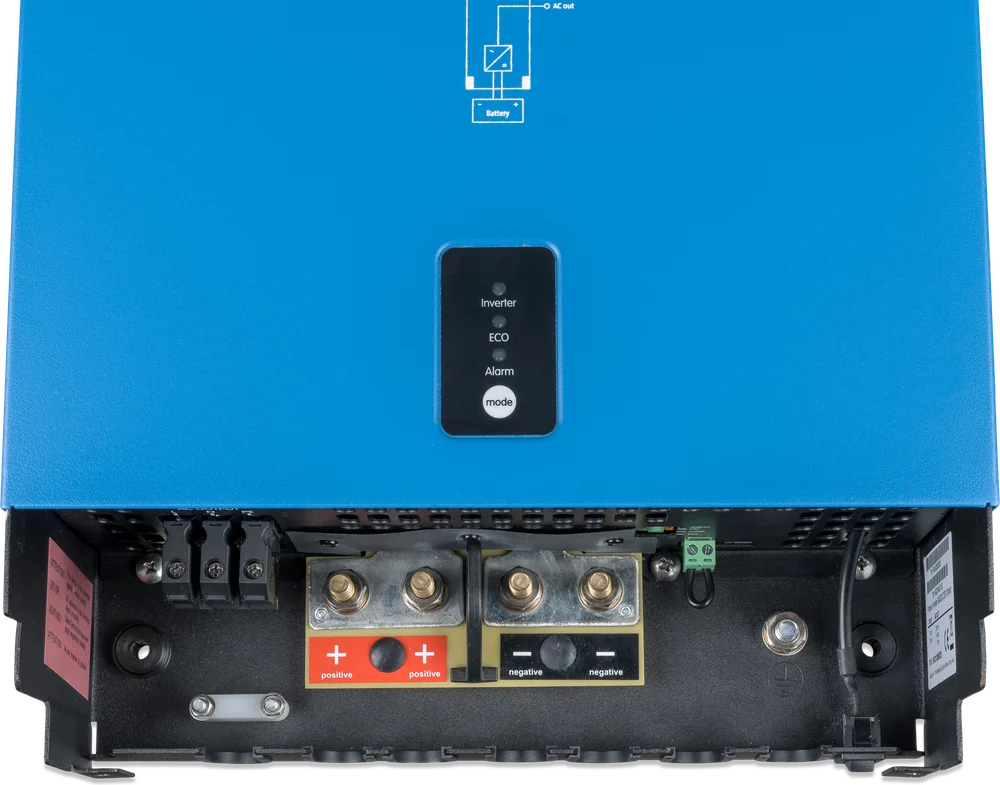
- Battery — M8 bolts (in the 12 and 24 V larger models, two pairs), torque no more than 11 Nm, using an insulated socket spanner. Observe polarity and do not short the cables.
- There is no fuse inside — DC-side protection must be fitted externally, according to the table below.
- AC output — L, N and PE terminals. The neutral conductor is factory-connected to the enclosure; a floating output requires this link to be disconnected in accordance with the manual. The enclosure must be earthed.
- Remote on/off — the inverter starts when you short terminals H and L (link, switch, Inverter Control panel), or when H is connected to battery positive and L to battery negative. This allows control from vehicle ignition or from a lithium battery BMS signal.
- Removing the remote control plug switches the inverter off completely — then it cannot be switched on by the button or via Bluetooth. Useful for servicing work.
- Programmable relay and VE.Direct — relay for alarm, low voltage or generator start; VE.Direct port for a GX device or computer.
Phoenix Inverter Smart or MultiPlus-II?
Phoenix Inverter Smart
1600–5000 VA with Bluetooth, ECO mode and relay. Choose it when the battery is charged by panels or the alternator and 230 V should come only from the battery.
1600–5000 VA · 12/24/48 VPhoenix Inverter VE.Direct
The same idea in a smaller format: 250–1600 VA, VE.Direct port and ECO mode, without built-in Bluetooth. Phoenix Inverter VE.Direct datasheet.
250–1600 VAMultiPlus-II
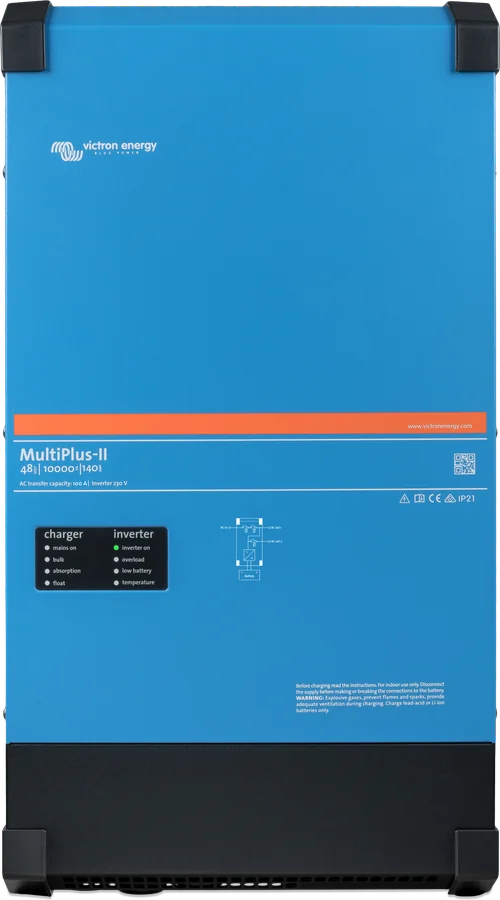
Inverter, charger and transfer switch in one enclosure — transfer under 20 ms, parallel and three-phase operation. MultiPlus-II datasheet.
UPS + charger| Phoenix Inverter Smart | MultiPlus-II | |
|---|---|---|
| 230 V inverter | yes | yes |
| Mains / generator charger | no | yes |
| Transfer switch (UPS) | no* | yes, < 20 ms |
| Parallel / 3-phase operation | no | yes |
| Built-in Bluetooth | yes | via adapter |
| ECO mode | yes | yes (search mode) |
| When to choose | you charge from panels / alternator | you often have access to mains or a generator |
Choose the Phoenix if you rarely connect to mains and the battery is charged by the sun and the alternator. It is simpler — no charger and no AC transfer switch.
Choose the MultiPlus-II if you often stand on a campsite with power, have a generator or need UPS-style backup. The charger and transfer switch are then in one enclosure. MultiPlus-II selection.
* The manufacturer recommends the automatic Filax 2 transfer switch for small inverters (max. 16 A, transfer in up to 16 ms), or a MultiPlus with built-in transfer switch. 16 A at 230 V is about 3.7 kVA — enough for 1600–3000 VA models; for 5000 VA (about 22 A at full power) you need a higher-current switch or a MultiPlus-II.
Classic series with a VE.Bus port — 1200–5000 VA, also 48 V, parallel operation of up to six units and three-phase: Phoenix Inverter (VE.Bus).
Inverter power and battery current
Add up the power of the devices that will run at the same time. Choose a model with continuous power (in watts, at the temperature at which it will operate) higher than that total. Remember that a high current flows on the battery side — the lower the system voltage, the higher it is.
| 230 V load | 12 V battery | 24 V battery | 48 V battery | Suitable model |
|---|---|---|---|---|
| Laptop and lighting · 300 W | about 27 A | about 13 A | about 7 A | 1600 VA |
| Coffee machine · 1200 W | about 110 A | about 53 A | about 27 A | 1600 VA is just enough in the heat (at 40 °C it gives 1200 W), 2000 VA with margin |
| Kettle · 2000 W | about 180 A | about 89 A | about 44 A | 3000 VA |
| Induction hob · 3500 W | — | about 155 A | about 77 A | 5000 VA |
The currents are our approximate calculations: power ÷ battery voltage ÷ efficiency (92–96%). With a discharged battery the current is even higher. The 5000 VA model is not available in a 12 V version.
At 12 V, currents above 150–200 A require very thick cables, large fuses and batteries with a high discharge current. A 24 V or 48 V system carries the same power at current two or four times lower.
Peak power (for example 6000 W in a 3000 VA model) allows you to start devices with a high inrush current, but you must not rely on it for continuous load.
How to connect the inverter to the battery
There is no fuse inside the inverter — the protection is fitted externally, close to the battery. The values below come from the manual; with two cables per terminal, each must carry the fuse current, and the battery cables must not be run in a closed duct.
| Model | Cross-section 0–5 m | Cross-section 5–10 m | Fuse | Battery capacity |
|---|---|---|---|---|
| 1600 VA | ||||
| 12/1600 | 70 mm² | not recommended | 250 A | 300–800 Ah |
| 24/1600 | 35 mm² | 70 mm² | 125 A | 150–400 Ah |
| 48/1600 | 16 mm² | 25 mm² | 60 A | 75–200 Ah |
| 2000 VA | ||||
| 12/2000 | 70 mm² | not recommended | 300 A | 350–1000 Ah |
| 24/2000 | 50 mm² | 95 mm² | 150 A | 200–500 Ah |
| 48/2000 | 25 mm² | 50 mm² | 80 A | 100–250 Ah |
| 3000 VA | ||||
| 12/3000 | 90 mm² | 2 × 70 mm² | 400 A | 400–1200 Ah |
| 24/3000 | 50 mm² | 2 × 50 mm² | 250 A | 200–700 Ah |
| 48/3000 | 35 mm² | 2 × 35 mm² | 125 A | 100–400 Ah |
| 5000 VA | ||||
| 24/5000 | 90 mm² | 2 × 95 mm² | 400 A | 300–1500 Ah |
| 48/5000 | 70 mm² | 2 × 70 mm² | 200 A | 150–700 Ah |
Cable cross-section and battery capacity must be chosen together: cables that are too thin cause voltage drop, which raises ripple at the terminals and can shut the inverter down with a “DC ripple” alarm. A battery that is too small gives the same effect under heavy load.
The general rules for choosing protection and cable sizes are explained in the guide cable cross-sections and DC fuses, and the battery-side currents for specific loads — in the table above.
What to watch out for
Between the battery and the inverter there must be a fuse and isolator matched to the model. Take the cable cross-sections and fuse values from the manual — at 12 V the currents reach over 200 A. When connecting DC, use an insulated socket spanner. Avoid shorting the battery cables, keep the polarity correct (+ to +, − to −) and do not exceed 11 Nm.
The inverter output must not be connected to the grid or generator. The inverter has protection against 230 V on the output, but source switching is done by a separate transfer switch (for example Filax 2 — up to 16 A). The 230 V installation should be done by an electrician. The chassis must be earthed. The AC output neutral is connected to the chassis, and a floating output requires removing the neutral-to-earth link according to the manual.
The enclosure is not waterproof. Mount the inverter in a dry, well-ventilated place: away from water, rain and moisture, out of direct sunlight, never directly above batteries. Leave at least 10 cm of free space around the unit.
The remote on/off connection lets you switch the inverter off with a normal switch or the Inverter Control panel, without reaching into a locker.
What you can set in the app and what the inverter comes with
All settings are changed in the VictronConnect app via Bluetooth or through the VE.Direct port. By default the inverter outputs 230 V and 50 Hz, and dynamic cut-off is disabled.
| Output voltage and frequency | 230 V, 50 Hz; adjustable 210–245 V, 50 or 60 Hz |
| ECO mode — wake-up threshold | 60 VA (range from 0 VA to rated power) |
| ECO mode — sleep threshold | 50 VA (range from 0 VA to rated power) |
| ECO mode — interval between checks | 3 s (range 0–64 s), test time 0.16 s (0.08–5 s) |
| ECO mode savings | own consumption about 85% lower |
| Low voltage cut-off | 9.3 V / 18.6 V / 37.2 V (12 / 24 / 48 V) |
| Restart and low voltage alarm | 10.9 V / 21.8 V / 36.6 V |
| Charging detection | 14 V / 28 V / 56 V — after this the low voltage alarm clears |
| Dynamic cut-off | disabled |
The restart value for 48 V (36.6 V) in the manual is lower than the shut-down threshold (37.2 V) — this is a discrepancy in the manufacturer’s document. For 48 V batteries, check these thresholds in the app and set them deliberately.
Dynamic cut-off makes the shut-down threshold depend on the current drawn from the battery: at high load the threshold is lower, at low load higher. This compensates for the voltage drop across the battery’s internal resistance. It makes sense for OPzV and OPzS batteries, less so for gel and AGM, and practically not at all for lithium batteries — their discharge curve is almost flat.
ECO mode should be matched to the loads: different thresholds are needed for inductive loads and for switch-mode power supplies. If the inverter keeps switching on and off every few moments even though a load is connected, the load is too small for the wake-up threshold — lower the threshold or increase the load.
What the LEDs mean
There are only three LEDs on the front: green “inverter”, yellow “ECO” and red “alarm”. Below are their combinations according to the manual — the same information is visible in the VictronConnect app and in the VRM portal through the VE.Direct port.
All LEDs off
The inverter is off or has no power. Press the mode button once, check the bridge or switch on the remote control connection, then the DC cables and external fuse — whether battery voltage is present at the terminals.
Green LED on
Normal operation — the inverter supplies 230 V loads.
Green flashes, yellow ECO on
ECO mode standby: the load is below the wake-up threshold, so the inverter sends a checking pulse every few seconds. If it keeps switching off even though a load is connected, lower the wake-up threshold or increase the load.
Green flashes, red flashes
The firmware is being updated or the update failed. Repeat the update in the VictronConnect app.
Green on, red on
Overload warning — the load exceeds rated power. Reduce it before the inverter shuts down.
Green flashes twice, red on
Overload alarm: the inverter shut down after a prolonged overload and will not restart by itself. Remove the cause and restart it by switching it off and on.
Green on, red slow flashing
Low battery voltage warning. Charge the battery or switch off some loads; also check that the terminals are tight and that the cable cross-section is sufficient.
Green double-flashing, red slow flashing
Low voltage alarm — the inverter has shut down. Charge the battery or switch the unit off and on; check the voltage at the terminals, fuses and DC cables.
Green on, red fast flashing
High battery voltage warning. Check the chargers, alternator and solar controller, and how the battery bank is connected.
Green on, red double-flashing
High temperature warning. Reduce the load or move the inverter to a better ventilated place.
Red single fast flash
DC voltage ripple is too high. Tighten the terminals and check the battery cable cross-section and length — ripple comes from voltage drop in the cables.
The inverter restarted itself after an overload
This is how the protection works: after an overload, the unit waits 30 seconds and then tries again. After three attempts ending in another overload within 30 seconds, it shuts down until you restart it manually.
Shutdown due to high voltage or temperature
In both cases the inverter waits 30 seconds and then resumes automatically when the voltage drops or the unit cools down.
After a low-voltage alarm, the inverter restarts automatically after at least 30 seconds above the restart threshold, and after three failed attempts it stays off — then charge the battery or switch the unit off and on.
Phoenix Inverter Smart FAQs
Will Phoenix Inverter Smart charge the battery from mains power?
No. It is only an inverter — it converts battery power to 230 V, but it does not charge the battery. To charge from mains, you need a separate battery charger (for example, Blue Smart IP65) or an inverter/charger such as MultiPlus-II.
How much power does the inverter use when nothing is switched on?
The 12/1600 model draws 8 W with no load, and only 0.6 W in ECO mode. At 12 V, that is about 15 Ah per day. That is why it is worth enabling ECO mode if the inverter runs all day for loads used only occasionally.
Will ECO mode switch off my fridge or phone charger?
Very low-consumption devices may not exceed the wake-up threshold and the inverter will “not notice” them. You set the threshold in the VictronConnect app. If something needs to run continuously, lower the wake-up threshold or switch ECO mode off.
Can I connect two Phoenix units to get more power?
No. According to the datasheet, Phoenix Inverter Smart does not support parallel or three-phase operation. If you need more power, choose a larger model or a MultiPlus-II, which can be connected in a group of up to 6 units.
How do you switch loads between the inverter and campsite power?
The manufacturer recommends the Filax 2 automatic transfer switch (max. 16 A, transfer within 16 ms) — sufficient for models up to 3000 VA; for 5000 VA, you need a switch with a higher current rating. Another option is a MultiPlus-II, which has a built-in transfer switch and charger.
Is there a fuse in the inverter?
No. The manual explicitly states that there is no internal fuse — the DC-side protection is installed externally, close to the battery. We have collected the values for each model in the cable and fuse table.
The inverter shut down after an overload and will not come back on — why?
After an overload, the unit waits 30 seconds and tries to start. If, after three attempts, the overload returns within 30 seconds of restart, the inverter is locked off. You must remove the cause and restart it with the switch.
Will the inverter switch itself back on after the battery is discharged?
Yes — when the voltage rises above the restart threshold (factory setting 10.9 V at 12 V and 21.8 V at 24 V) and stays there for at least 30 seconds. After three failed attempts, the unit remains off until the battery is charged above the charge-detection threshold or the unit is restarted manually.
Can I control the inverter from a lithium battery BMS?
Yes. The remote-control connector accepts a simple contact, a positive or negative battery signal — the manual lists control from a lithium battery BMS and connection to the vehicle ignition as typical applications. Removing the remote-control plug switches the inverter off completely, including Bluetooth.
What does the “DC ripple” alarm mean?
The ripple voltage at the battery terminals is too high. The most common cause is loose terminals or battery cables that are too thin or too long; when the alarm occurs, the inverter shuts down and you need to restart it with the switch.
Manufacturer documentation
- Phoenix Inverter Smart 1600–5000 VA datasheetPDF · EN
- Manufacturer product page (manual, certificates)victronenergy.com
We prepared the description independently based on the manufacturer’s documentation. The currents in the sizing table are our calculations. In the event of any discrepancy, the current Victron Energy documentation is authoritative. You can report an error here.
Content checked against Victron Energy documentation (datasheets and manuals) — as of 19 September 2026. Report a content error · Revision log